QR Code for Wedding Photo Sharing: Full Setup Guide
QR code for wedding photo sharing, set up a guest album in minutes, pick platforms with no app install, and display the code at your reception.
This article was written by the QR Nova team. We build QR code software, which may inform our perspective.
Wedding photo sharing QR codes have a real problem that most guides sidestep: the platforms easiest for guests to use (no app install, no sign-up) aren't always the ones where you end up owning the originals. And platforms where you own everything sometimes have enough friction that guests don't bother. The best QR code wedding photo setup is one where guests scan a code, upload directly in their phone browser with no app install, and the originals go to storage you control, not an account you might lose access to when the platform changes its pricing.
TL;DR
- Create a shared album on WedUploader, GuestPix, or GuestCam, all support browser-based upload with no guest app required.
- Generate a free QR code at QR Nova pointing to the album upload link, no sign-up, no subscription.
- Display on table cards (1.5-inch code, one per table), welcome sign, and wedding program for maximum uploads.
- WedUploader sends originals directly to Google Drive, you own the files regardless of the platform's future status.
How QR code wedding photo sharing works
Create your first QR code — free
Get startedThe mechanism is simple: you create a shared album or upload destination, generate a QR code pointing to the upload URL, and display the code at your venue. For the full picture of all wedding QR code types, see our complete wedding QR code guide. When guests scan, their phone's browser opens the upload page, they select photos from their camera roll or take new ones, and the files go into your shared album.
The guest experience that works: scan, one tap to allow camera access, pick photos, done. Ten seconds. No app to install, no account to create, no password to remember.
The guest experience that doesn't work: scan → requires app download → account creation → email verification → upload. Each step loses a percentage of guests who would have uploaded if the path was frictionless. Based on platform usage data from GuestPix (2025), browser-based upload tools see 3–4× more uploads per guest than app-dependent platforms at weddings with comparable guest counts.
The best platforms for wedding photo sharing via QR code in 2026
The landscape has shifted significantly since 2023. Several platforms added browser-based upload, and a few were acquired or shut down, which matters when you're choosing where to store memories from the most-photographed day of your life.
WedUploader — best if you want Google drive ownership
WedUploader has the clearest ownership model of any platform we've tested: guests upload photos, and the originals transfer directly to a Google Drive folder you designate. You own the files on your own Google account. If WedUploader shuts down tomorrow, your photos are already in your Drive, completely unaffected.
Setup takes about 3 minutes: connect your Google Drive, create an event, copy the upload link, generate a QR code. Guests scan, land on a browser upload page, pick photos, and upload. No guest sign-up required. Free tier available with limitations; paid tiers start around $15–20 for a single event as of early 2026.
GuestPix — best gallery experience
GuestPix focuses on the shared gallery display, photos from all guests appear in a view that everyone invited can browse. No guest registration required. Guests upload via QR code or private link. Photos, videos, and guestbook messages all collected in one place. The gallery can be shared with guests after the event.
The limitation: photos are stored in GuestPix's cloud, not directly in your own storage. You can download originals, but ownership is contingent on the platform staying operational. GuestPix has been running since 2021 and shows no signs of instability, but worth noting for permanent storage planning.
GuestCam — best for video capture
GuestCam differentiates on video: guests can share video clips, not just photos. No app download, no guest account. Setup under 3 minutes. It's particularly well-suited for reception moments, dances, toasts, candid table moments, that still photos miss entirely.
Pricing for 2026: free tier allows up to 100 uploads; event plans start at approximately $29 for a single event with unlimited uploads.
Wedibox — best all-in-one wedding QR platform
Wedibox combines photo sharing, digital guestbook, RSVP collection, seating charts, and audio messages under a single QR code. Guests scan once and can interact with multiple features. This is the most comprehensive option if you want a single code handling multiple guest interactions across the wedding weekend.
The trade-off: Wedibox pricing is higher than single-feature tools, and the all-in-one approach means you're dependent on one platform for multiple critical functions. Test thoroughly before committing.
How to create a wedding photo sharing QR code
The process is the same regardless of which platform you choose:
- Create your album or event on the chosen platform and get the guest upload link (not the gallery view link, the upload link is what guests need to contribute photos).
- Go to QR Nova and create a URL QR code with that link.
- Customize the design: use your wedding colors for the modules if desired. Ensure module-to-background contrast exceeds 4:1. Add a monogram or logo in the center if it fits your aesthetic.
- Download as SVG for printing (or PNG at 300 DPI minimum if SVG isn't supported by your design tool).
- Test it: scan the code with your phone to confirm it opens the correct upload page before incorporating it into any printed materials.
The QR code from QR Nova is a static URL code, permanent, no subscription required, never deactivates. If you change the photo platform later, you'd need to generate a new code. For most weddings, the destination won't change, so a static code is the right choice.
Where to display the QR code at your reception
Where you place the code significantly affects how many guests actually upload. Three placements drive the majority of uploads.
Table cards — highest total upload volume
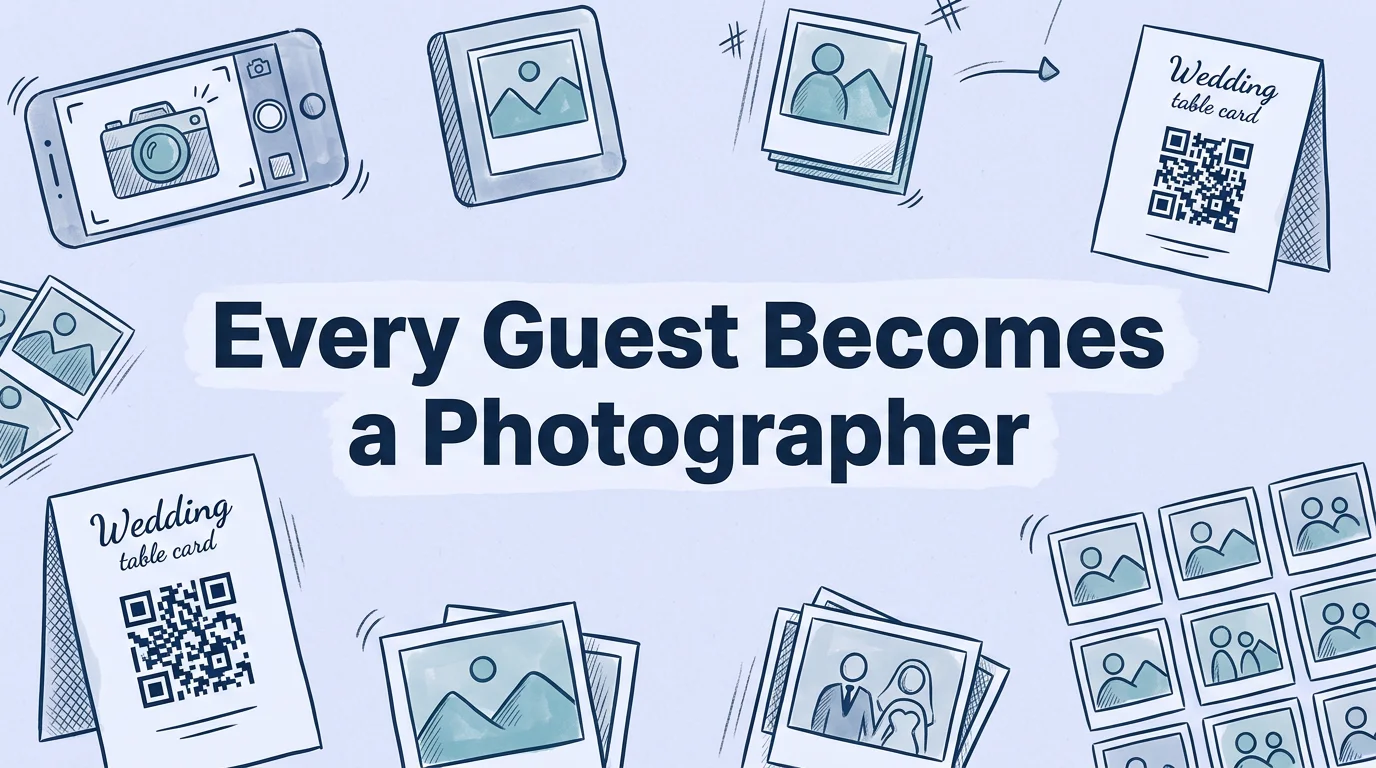
One QR code card per reception table is the highest-converting placement. Guests are seated for 1–2 hours during dinner, phones in reach, with natural pauses between courses where scanning feels appropriate. The code stays visible throughout dinner without requiring anyone to navigate anywhere to find it. A 1.5-inch code on a 4×6 table card at eye level from a seated position scans reliably from about a foot away.
Include a short prompt on the card: "Share your photos" or "Scan to add your photos to our album." Guests who hadn't thought to upload are prompted; guests who planned to share have a clear, immediate mechanism.
Welcome sign — highest visibility, lowest individual conversion
A large display at the venue entrance reaches every guest, but most are transitioning into the space and aren't ready to engage with a photo-sharing workflow at that moment. The welcome sign works best as awareness, "We have a photo sharing QR code at your table", with the table card being the actual conversion point.
If you want the welcome sign to drive uploads directly, pair it with a moment when guests are standing and waiting: cocktail hour, before doors open to the reception.
Wedding program — reaches guests who engage deeply
Including the QR code in the ceremony program reaches guests who read the program closely, typically older relatives and guests less familiar with the family. A brief line ("Scan to join our photo album") with a 1-inch code is enough. This placement tends to generate uploads from guests who wouldn't have independently sought out the QR code at their table.
Design considerations for wedding QR codes
Wedding QR codes appear on materials representing one of the most aesthetically considered events in a person's life. Generic black-and-white codes can look jarring on carefully designed stationery. Custom codes in wedding colors are appropriate, and based on QR design research, they actually convert better because they look intentional rather than like a generic technical element.
Color guidelines for wedding contexts
Common wedding palette applications that scan reliably:
- Deep navy on white or ivory: Clean, formal, classic. Contrast ratio ~14:1.
- Dark sage green on white: Works for botanical and garden themes. Contrast ~8:1.
- Dusty rose on white: Risky, dusty rose has high luminance relative to white, typically falling below 3:1. Test carefully, or use a darker version of the accent color.
- Gold on white: Also risky. Gold and yellow hues have high luminance and poor contrast against white. Use dark gold or bronze, or place the code on a dark background with a white quiet zone.
- Burgundy on ivory: Reliable. Contrast typically ~8:1.
Whatever colors you choose, generate the code at QR Nova, print a physical proof on your intended substrate (matte cardstock vs. glossy print affects real-world contrast differently), and test scan before ordering final table cards.
What to do with the photos after the wedding
This step is consistently overlooked in the rush of the event and honeymoon. Plan for it before the wedding so you don't lose the uploads.
If you used WedUploader: Photos are already in your Google Drive. Download and back them up to a second location, external drive or another cloud storage service.
If you used GuestPix, GuestCam, or Wedibox: Download originals from the platform within the first week after the wedding, before the event expires and before you forget your login credentials. Store the originals somewhere durable, Google Photos, iCloud, or a local drive. Don't assume the platform maintains your gallery indefinitely on a free or event tier.
Merge with your photographer's gallery: Your professional photos and guest uploads together tell a more complete story of the day. Organize by time if possible, most phone photos include EXIF timestamps, so sorting chronologically gives you the full event sequence from multiple perspectives.
Creating your wedding photo QR code
Start with whatever platform you've chosen for the album, get the upload link, and create a free QR code at QR Nova. If this is your first time generating a QR code, our step-by-step creation guide walks through the entire process. It takes 2 minutes. The QR Nova code is a static URL, it generates instantly, requires no account, and never expires or deactivates. If you want to use your wedding colors for the QR code modules, the custom color option is available on the generator. Download as SVG for clean print output, or PNG at 300 DPI if you're working with a tool that doesn't support SVG.
Pair it with our wedding RSVP QR code guide if you want to handle both photo sharing and RSVPs digitally, two separate codes, each with a distinct purpose, are cleaner than trying to combine functions.
Frequently asked questions
How do I set up a QR code for wedding photo sharing?
Create a shared photo album on a platform that accepts uploads via link (Google Photos, WedUploader, GuestPix, or similar). Copy the upload link, generate a QR code at QR Nova pointing to that URL, download it, and include it on table cards, signs, or in your wedding program. Total setup time: under 5 minutes. Guests scan, photos upload directly to your shared album, no app install required on most platforms.
What is the best app for wedding QR code photo sharing?
The best apps for 2026 are WedUploader (sends photos directly to your Google Drive), GuestPix (gallery-focused with no guest sign-up required), GuestCam (no app download for guests, video support), and Wedibox (combines photo sharing with RSVP and guestbook). The most important criteria: no guest registration required (every extra step cuts upload rates) and you receive full ownership of the originals.
Do guests need to install an app to upload wedding photos via QR code?
No, the best photo sharing platforms use browser-based upload that works without any app download. WedUploader, GuestPix, and GuestCam all offer scan-and-upload that works directly in the phone's browser. Platforms requiring a guest app install see significantly lower participation rates, guests who don't already have the app will skip the extra installation step.
Can guests share photos anonymously with a wedding QR code?
Yes, with most platforms. Browser-based upload tools like GuestCam and WedUploader don't require guest accounts, guests scan, pick photos from their camera roll or take new ones, and upload. You see the photos without any guest identification attached unless the platform optionally asks for a name. This is actually an advantage: it removes friction and increases upload rates.
Where should I display the wedding photo sharing QR code at the reception?
The highest-engagement placements are table cards (one per table, eye-level when seated), the welcome sign at the venue entrance, and inside the wedding program. Include a short prompt, 'Scan to add your photos to our album' or 'Share your photos with us', immediately next to the code. Avoid placements where guests are standing in moving crowds (cocktail hour); table placements during the seated dinner have the highest upload rates.
How large should the QR code be on wedding table cards?
For a standard 4×6 inch table card, a 1.5-inch (3.8cm) QR code is appropriately sized, large enough to scan from seated position at a table, proportional to the card. Include at least 0.25 inches of clear margin around the code. Custom-branded codes in your wedding colors are completely appropriate for this use case; ensure the module-to-background contrast exceeds 4:1.
Related articles
QR Code for Wedding RSVP: Setup Guide
QR code for wedding RSVP, set it up in 4 steps, handle dietary needs and plus-ones, and avoid the reply card problem. Free code.
How to Create a QR Code for Your Wedding
How to create a QR code for your wedding, RSVPs, photo sharing, and menus in minutes. Free static codes that won't break mid-reception.
QR Code for Attendance Tracking: Complete Setup Guide
QR code for attendance tracking in schools, offices, and events — step-by-step setup, static vs dynamic comparison, anti-proxy tips, and free tools.
Create your first QR code — free
Get started