QR Code for Attendance Tracking: Complete Setup Guide
QR code for attendance tracking in schools, offices, and events — step-by-step setup, static vs dynamic comparison, anti-proxy tips, and free tools.
This article was written by the QR Nova team. We build QR code software, which may inform our perspective.
Most guides about QR code for attendance tracking give you a five-step tutorial that skips the hard parts, or a vendor pitch in disguise. They won't tell you that a static QR code posted in a classroom is trivially shareable — one student forwards it to a friend at home, who marks themselves present from the couch. They skip the question of when dynamic QR codes are worth the added complexity versus when a Google Form does the job just fine. A QR code for attendance works reliably when you match the technical setup to the actual threat model: proxy scanning prevention for schools, throughput at events, audit-grade records for regulated workplaces. This guide covers all three.
TL;DR
- Static QR codes paired with Google Forms work for low-stakes attendance — free, no platform needed, zero ongoing cost.
- Dynamic QR codes give you automatic timestamps, scan analytics, and redirect flexibility — essential for recurring classes, daily office check-ins, and multi-day events.
- Anti-proxy measures (rotating codes, geofencing, time windows) are necessary in any setting where attendance affects grades, pay, or compliance records.
- QR Nova static codes are permanent and free — they never expire even if you cancel, unlike most dynamic platforms that break your codes when a subscription lapses.
How QR Code Attendance Actually Works
Create your attendance QR code — free
Get startedA QR code for attendance is a scannable image that links to a data-capture endpoint — a form, a check-in app, or a dynamic tracking server. When someone scans it, the system records who showed up and when, without paper, manual roll calls, or dedicated hardware. QR-based check-in processes attendees up to 60% faster than manual guest-list lookups and produces a digital record with zero transcription errors.
Two technical architectures sit behind that simple scan:
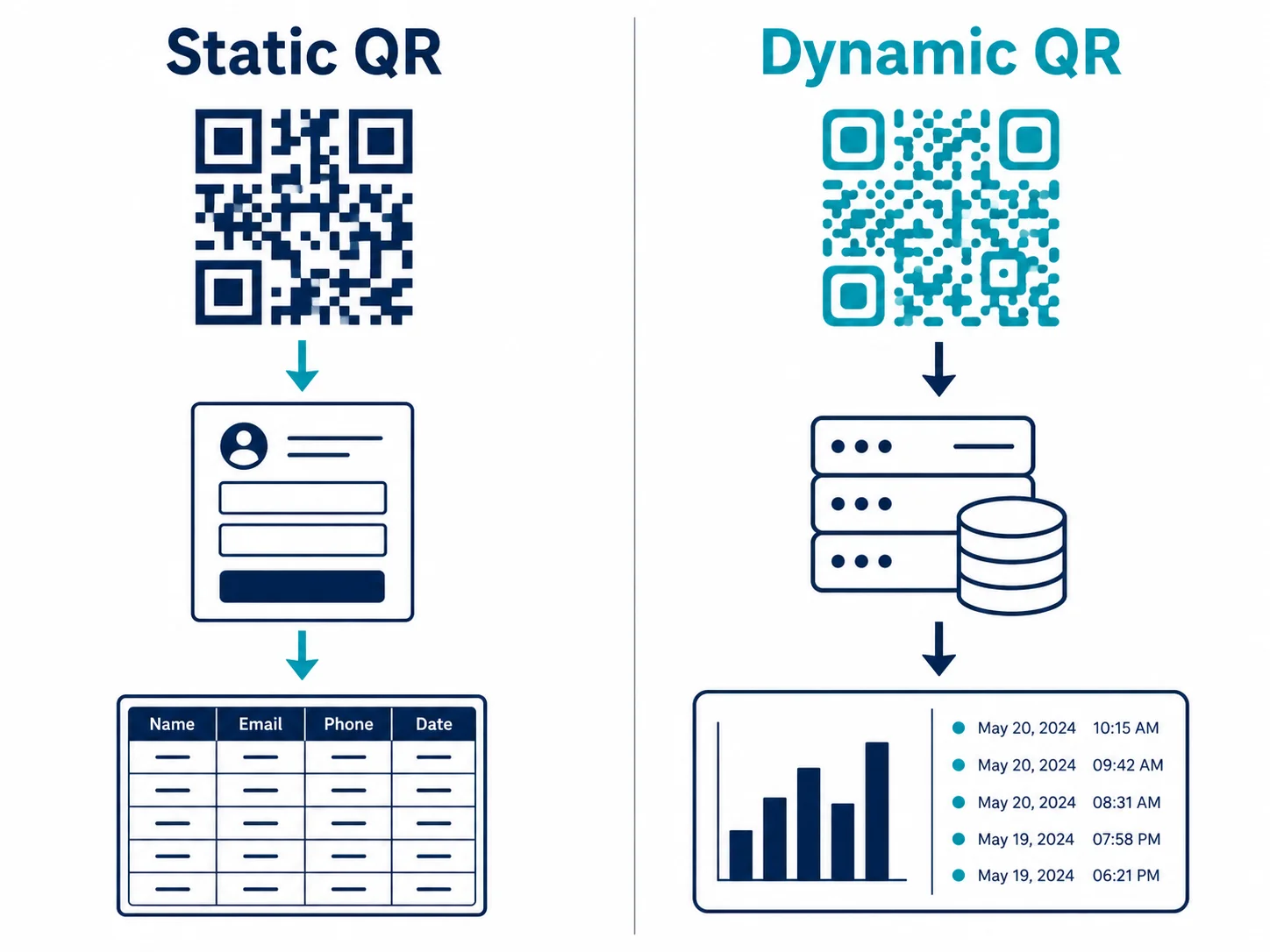
- Form-based attendance: The QR code links directly to a Google Form, Typeform, or similar. Attendees fill in their name, ID, or email. The submission lands in a spreadsheet. Simple, free, zero vendor lock-in.
- Dynamic tracking attendance: The QR code links through a redirect server. Every scan is logged automatically with a timestamp, device type, OS, and approximate location — no form required. The destination URL can be changed without reprinting. This is what dynamic QR codes enable.
Neither is universally better. The right pick depends on how often the code is reused, whether identity verification matters, and what reporting you need downstream.
Static vs Dynamic QR Codes for Attendance
A static QR code encodes the destination URL permanently in the image itself. No server in the loop — the URL is baked into the pixels. You can't change where it points after printing, and you can't see who scanned it without a separate form collecting that data.
A dynamic QR code stores a short redirect URL in the image that points to a tracking server. The server logs each scan and forwards the visitor to your actual destination. Update the destination anytime without reprinting. Scan analytics come automatically.
Here's when each makes sense for attendance:
| Scenario | Best choice | Why |
|---|---|---|
| One-time event, no repeat sessions | Static + Google Form | No recurring need, free, zero setup overhead |
| Daily classroom attendance | Dynamic (rotating) | Reuse across sessions, timestamps auto-logged, anti-proxy rotation |
| Office daily check-in | Dynamic | Dashboard reporting, no manual export needed |
| Multi-day conference | Dynamic | One code, multiple days, real-time attendance counts per session |
| Small team weekly meeting | Static + Form | Low stakes, 5-15 people, no fraud risk |
One failure mode nobody mentions in the marketing copy: dynamic QR codes on subscription platforms go dead the moment you stop paying. Print a dynamic attendance code on classroom door signage, let a billing cycle lapse, and the code breaks mid-semester. QR Nova static codes are permanent — they never expire regardless of plan status. For a classroom door code pointing to a stable Google Form URL, a free permanent static code is often the smarter call.
Setting Up a QR Code for Attendance in Schools
The biggest problem in school attendance is proxy scanning — a student forwards the QR link or image to a classmate who isn't there. A plain static QR code does nothing to stop it.
The Rotating QR Code Method
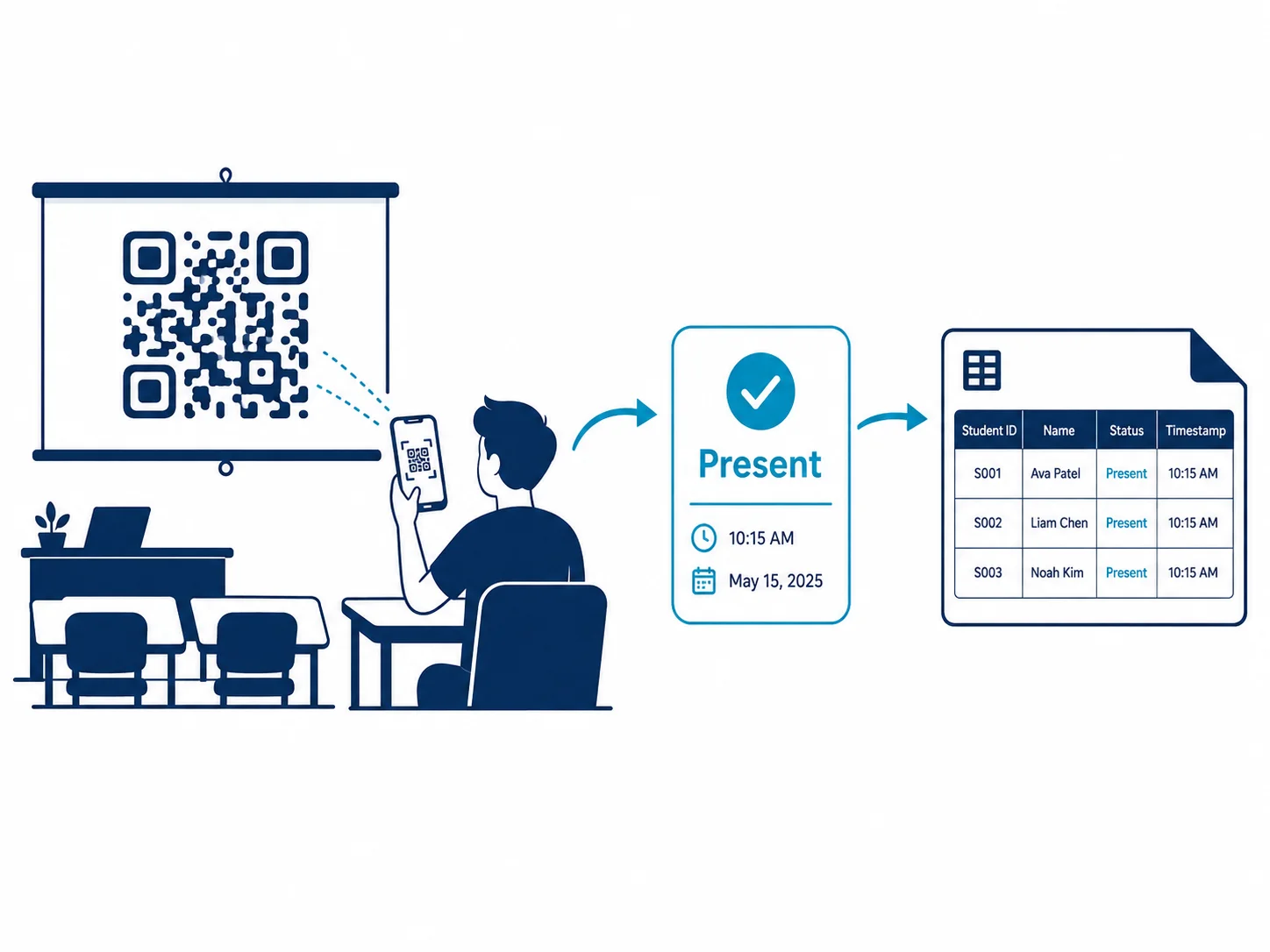
Display a dynamic QR code on the classroom projector that refreshes every 60-120 seconds. The destination URL changes with each rotation; the old URL stops accepting submissions. A student who screenshots or forwards the code hands their friend a link that's already dead. It's the same principle behind time-based one-time passwords (TOTP) — valid only in the current window.
Implementation options range from purpose-built classroom apps (CATQR, OneTap) to a custom Google Apps Script that rotates a shortened URL on a timer. The printed code itself stays static. Only the destination changes.
The Geofenced Form Method
A Google Form with a geolocation widget (added via Apps Script) rejects submissions from devices outside a defined radius around the classroom GPS coordinates. A 2024 study published in the International Journal of Advanced Research in Innovative Imaging Technology found that geolocation-verified QR attendance systems cut proxy marking incidents by over 70% compared to plain QR form setups in the test cohort. The trade-off: students with location services disabled, or in buildings with weak GPS accuracy, will fail legitimate submissions. A staff override mechanism isn't optional — it's mandatory.
Step-by-Step: School QR Attendance with Google Forms
- Create a Google Form with fields for Student Name, Student ID, and Class Period. Add an auto-timestamp via Apps Script rather than a manual date field.
- In Form Settings, set a response window — open 5 minutes before class, close 10 minutes after start. This limits the window for fraudulent submissions without penalizing students who arrive on time.
- Get the pre-filled form URL and generate a QR code at QR Nova's free generator pointing to it.
- Print the code on cardstock and mount it at the classroom entrance, or display it on the projector at the session start.
- Link the Form to a Google Sheet. Use COUNTIF formulas to calculate attendance percentage by student across all sessions automatically.
For daily recurring classes across a semester, a dynamic QR code for attendance means you never reprint if the form URL changes — update the destination, the physical code stays put.
Setting Up a QR Code for Attendance at Events
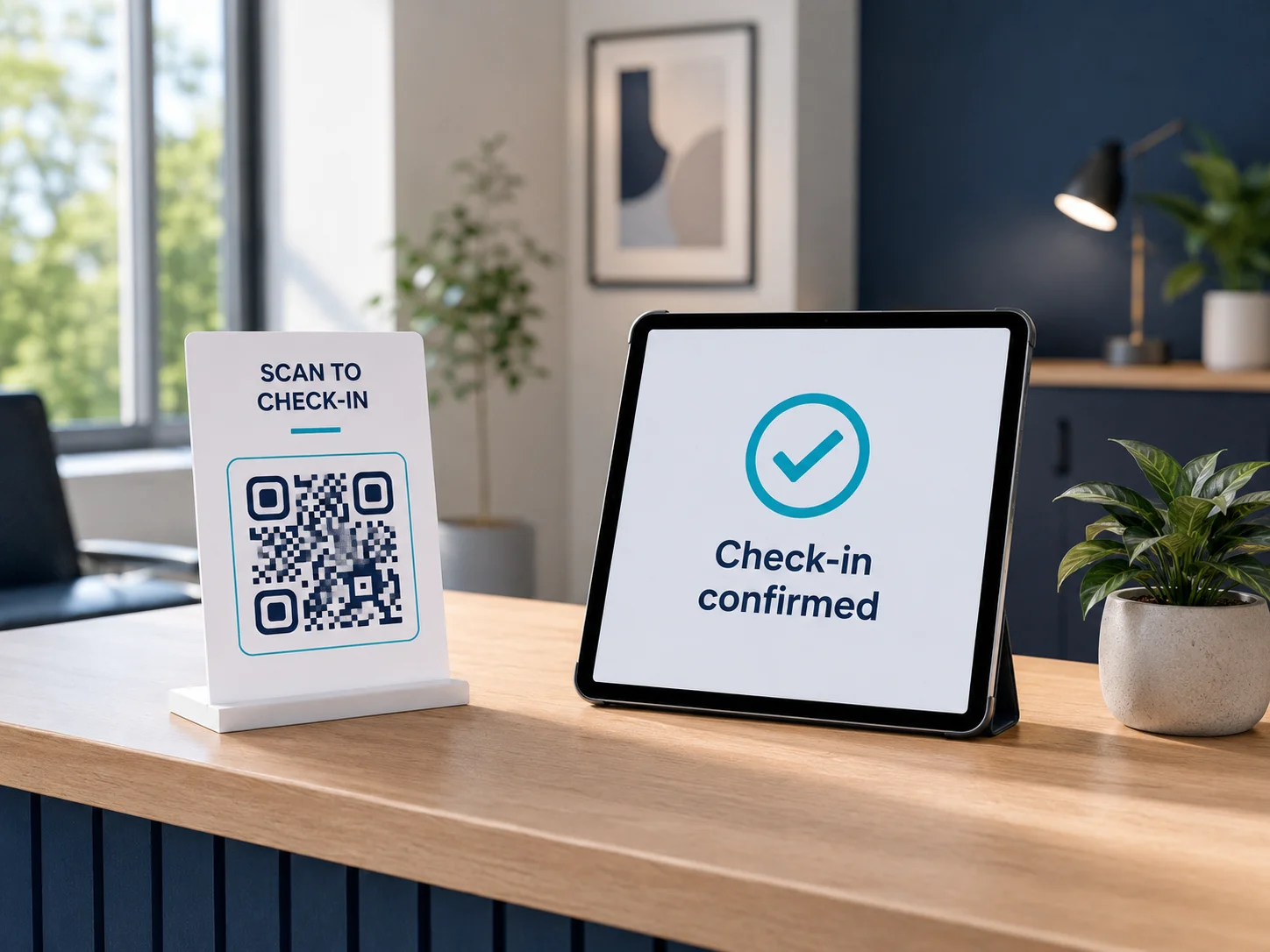
Event attendance is a different problem. Throughput matters. Attendee identity is pre-registered, and you usually need a confirmation signal — a green check, a seat assignment, a badge print. Proxy attendance is rarely the concern here; speed and accuracy are.
Shared QR Code at Entry Points
Print one large QR code at each entrance, linked to a self-identification form (name, ticket ID, email). That covers free community events where you just need a headcount. The practical ceiling: manual form entry creates queues fast when 200 people arrive in a 10-minute window.
Per-Attendee QR Codes on Badges or Confirmation Emails
For conferences and ticketed events, generate a unique QR code per registration and embed it in the confirmation email or printed badge. Staff scan each badge with any QR scanner app. The scan hits your check-in endpoint and marks that registration as arrived — no form filling, no queue. Throughput with a handheld scanner runs roughly 300-500 badge scans per hour per staff member.
This model requires generating QR codes in bulk — a spreadsheet of unique check-in URLs, one per registrant, batch-encoded using open-source tools or a short script. Each code is a static QR pointing to a unique URL. No dynamic platform required.
Multi-Session Conference Tracking
For conferences with breakout sessions, the challenge shifts from entry-gate throughput to per-session tracking. A different QR code per session, displayed at the front of the room, captures check-ins as people arrive. A dynamic QR code is the right call here: reuse one physical display and update the destination between sessions without reprinting anything.
Always have a manual backup. Test venue WiFi before the event. QR code for attendance check-in requires a data connection when the form or dashboard is cloud-hosted, and venues routinely oversell their WiFi capacity. Keep a tablet with the full guest list at each check-in point for attendees with dead batteries or phones that struggle to scan in bright outdoor light.
Setting Up a QR Code for Attendance in Offices and Workplaces
Office attendance tracking carries a compliance dimension that school and event setups don't. In regulated industries — finance, healthcare, government contracting — attendance records can be subject to audit, defined retention requirements, and access controls under GDPR, HIPAA, or equivalent local rules.
Basic Office Check-In Flow
Mount a dynamic QR code at the main entrance, linked to a check-in form asking for employee name and department. Every scan logs a timestamp automatically. Export weekly data to your HR system. For a 50-person office, the whole setup takes roughly 30 minutes. Ongoing maintenance is essentially zero.
What Gets Logged — and Who Sees It
A dynamic QR code platform captures: scan timestamp, device OS (iOS/Android/Windows), browser, and approximate city-level location derived from IP address. Precise GPS only if you add an explicit geolocation prompt the user actively accepts.
For GDPR compliance, the minimum bar is: scan data stored in a region matching your data processing agreement, access restricted to HR and managers with documented legitimate need, retention periods defined and automatically enforced, employees notified in their employment agreement or a posted privacy notice. A static QR code + Google Form is often the cleaner compliance path — Google Workspace's data processing terms are well-established and the data lives entirely in an account you control, with no third-party QR analytics platform to audit separately.
Anti-Proxy and Fraud Prevention — Honest Trade-Offs
Every QR code for attendance system is only as secure as its weakest link. Here's what each method actually prevents and where it falls short:
| Method | Blocks remote submission | Blocks screenshot sharing | Setup complexity |
|---|---|---|---|
| Static QR + basic form | No | No | Very low |
| Static QR + timed form window | No | Partially (time pressure only) | Low |
| Rotating dynamic QR (60s window) | Yes | Yes — code expires | Medium |
| Rotating QR + geofence | Yes | Yes | High |
| Per-attendee unique QR + one-time token | Yes | Yes — invalidated on first scan | High |
Rotating QR eliminates most proxy attempts in classroom settings at medium complexity. Geofencing adds real protection but creates friction for legitimate edge cases: students with location services off, basement classrooms with weak GPS, older Android devices reporting wrong coordinates. Use it only when the stakes — exam eligibility, grade calculation, compliance audits — justify the friction and the support overhead of handling exceptions.
When QR Code Attendance Does Not Work
QR attendance has real limits. In manufacturing plants, warehouses, or anywhere workers don't carry smartphones on the floor, a QR check-in is the wrong tool. Badge scanners or biometric systems belong there. Same goes for high-security facilities where personal devices are banned at the door.
Connectivity kills it too. A form-based QR submission needs a data connection at scan time. Poor cellular coverage and no WiFi means attendees can't load the form, and you get an incomplete record. For offline-first environments, a hardware badge scanner with local storage sync — or a PWA with offline submission queuing — handles this better than any cloud-form approach.
Accessibility is the third gap most guides skip entirely. Students or employees with visual impairments or motor difficulties that make camera-aiming unreliable need an equivalent alternative: verbal confirmation to a proctor, an NFC tap, or staff-assisted entry. QR-only attendance is not inclusive attendance policy.
How QR Nova Fits This Use Case
QR Nova's free plan gives you unlimited static QR codes that never expire — no subscription required, no account needed for basic generation. Whether you need a simple QR code for attendance in a classroom or a dynamic multi-location check-in system for an office, your code works in five years regardless of plan status. That permanence matters more than most people realize: most dynamic QR platforms break your codes the moment a billing cycle lapses, and reprinting classroom signage mid-semester is exactly the kind of operational headache that shouldn't exist.
To be fair, some competing platforms offer stronger analytics dashboards with team management features that QR Nova doesn't yet match. If you're running a 500-person company with HR software that needs a direct integration, those platforms are worth evaluating. For everyone else — classrooms, small offices, recurring events — the permanent-static-plus-Google-Form combo beats paying a monthly platform fee for features you'll never use.
For attendance use cases requiring automatic scan timestamps, redirect flexibility, and a real-time scan count dashboard, dynamic codes on paid plans handle that. One dynamic code per classroom or conference room, destination updated each semester, covers a full academic or business year with zero reprinting.
The decision: if you need durable codes pointing to an external form you control, start with a free permanent static code. If you need automatic tracking without a form, go dynamic. Either way, generate your first attendance QR code at QR Nova — no account required.
Frequently asked questions
How does a QR code attendance system work?
A QR code links to a form, landing page, or check-in app. When an attendee scans it, the system records the scan event with a timestamp, device type, and optionally a location. The organizer sees a real-time log without any manual entry. Dynamic QR codes capture scan analytics automatically; static QR codes paired with a Google Form work just as well for smaller setups.
Can students share a QR code and fake attendance?
With a static QR code pointing to a Google Form, yes — sharing the link is trivial. To prevent proxy attendance, use a dynamic QR code that rotates every 60-120 seconds, add a geofence so only devices within the classroom can submit, or require a one-time login tied to a student ID. Rotating QR codes displayed on a classroom screen are the simplest effective solution.
What is the difference between static and dynamic QR codes for attendance?
A static QR code encodes the destination URL permanently in the image — you cannot change where it points or see who scanned it without a separate form. A dynamic QR code stores a redirect through a tracking server, giving you real-time scan counts, timestamps, and device data, and lets you update the destination URL without reprinting. For recurring attendance use cases like daily classes or weekly meetings, dynamic wins on every practical dimension.
Do I need an app to track attendance with QR codes?
No dedicated app is required. The simplest setup uses a QR code pointing to a Google Form — attendees submit their name and ID from any browser. For richer analytics (timestamps, device info, location), a dynamic QR code platform handles tracking without requiring attendees to install anything. QR Nova's free plan gives you unlimited static codes; dynamic tracking is available on paid plans.
How do I set up a QR code for attendance in a school classroom?
Generate a QR code linking to a Google Form with student name and ID fields. Display it on a projector or print it on the classroom door. Each session, students scan on entry. Export the Google Sheet linked to the form as a weekly attendance report. For fraud prevention, add a time-limited open window so the form closes 10 minutes after class starts.
Can QR code attendance work for large events with 1,000+ attendees?
Yes, but you need multiple scan points. Print or display the same dynamic QR code at every entrance; all scans feed into one dashboard. The throughput bottleneck is physical — one shared check-in point handles roughly 200-400 people per hour. For conferences, per-attendee badge QR codes (each unique to a registration) eliminate queue bottlenecks entirely.
What data does a QR code attendance system collect?
A basic dynamic QR code captures timestamp, approximate city-level location from IP, device OS, and browser. It does not capture personal identity unless you link the scan to a login or form submission. GDPR-compliant setups should avoid storing personal data in the QR payload itself and keep attendance records in a secured system with defined retention periods and access controls.
Does QR Nova support attendance tracking use cases?
QR Nova's free static codes are permanent and never expire — ideal for classroom door codes paired with a Google Form that outlast any subscription cycle. Dynamic QR codes on paid plans log every scan with timestamp and device data, and the destination URL can be updated without reprinting, so one printed code covers an entire academic year or recurring meeting series.
Related articles
How to Create a QR Code for Your Wedding
How to create a QR code for your wedding, RSVPs, photo sharing, and menus in minutes. Free static codes that won't break mid-reception.
How to Make a QR Code (Without It Failing at Print)
How to make a QR code that actually scans: static vs dynamic, error correction, testing before you print. Free, no sign-up.
QR Code for Google Forms: Step-by-Step Guide
Create a QR code for Google Forms in under 2 minutes — free, no account, no scan limits. Step-by-step guide with size, placement, and testing tips.
Create your attendance QR code — free
Get started