QR Code Error Correction L/M/Q/H: Which Level to Use
Level L survives 7% damage. Level H survives 30% — but adds 60% more modules. Pick the right ECC level for print, outdoor signage, and logo overlays.
This article was written by the QR Nova team. We build QR code software, which may inform our perspective.
Most guides about QR code error correction list the four levels, give you the percentages, and call it done. That's technically correct and completely useless for anyone who needs to make an actual decision. Here's what they skip: higher error correction doesn't just make your code more resilient. It makes your code physically larger, denser, and harder to scan in small or low-resolution contexts. Getting this wrong is the root cause of most QR code failures that don't come from expired subscriptions.
TL;DR
- QR code error correction (ECC) uses Reed-Solomon coding to recover damaged data. Four levels: L (7%), M (15%), Q (25%), H (30%).
- Higher ECC = more modules in the code = smaller individual modules at the same print size = harder to scan at small sizes or low resolution.
- Any logo in a QR code requires Level H. Always. Generators that support logos switch to H automatically, but rarely tell you.
- For digital screens with no logo: L or M. For print with no logo: M. For outdoor, physical handling, or embroidery: H regardless of logo.
What Is QR Code Error Correction?
Generate a QR code with the right ECC — free
Get startedQR code error correction is a built-in redundancy mechanism defined in ISO/IEC 18004 that lets a scanner reconstruct a QR code's data even when portions of the code are damaged, dirty, or obscured. It uses Reed-Solomon coding, a mathematical technique invented by Irving Reed and Gustave Solomon in 1960 and later adopted for everything from compact discs to deep-space communications.
Reed-Solomon works by adding polynomial equations derived from the original data. If modules are missing or unreadable, the decoder solves the equations using the surviving data to recover what's lost. The more ECC capacity you allocate, the more modules can be damaged before the code becomes unreadable.
This is not compression. It is redundancy. The code is physically larger because it stores both the original data and the mathematical backup. That size cost is the trade-off every ECC level decision forces you to make.
The Four Error Correction Levels
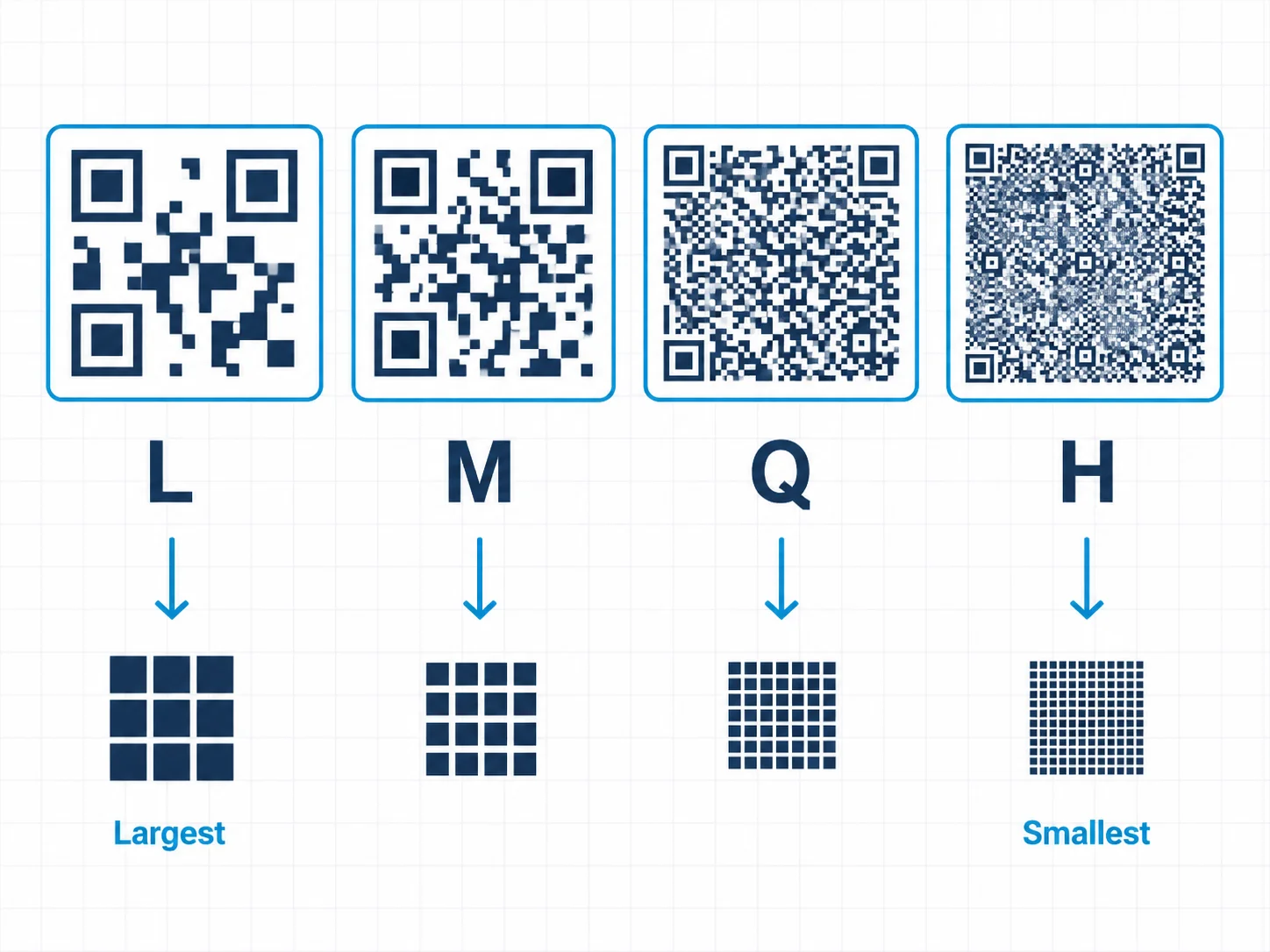
ISO/IEC 18004 defines exactly four ECC levels. Each specifies the maximum percentage of codewords that can be restored:
- Level L (Low): Recovers up to 7% of damaged codewords. Produces the smallest, least-dense QR code. Breaks with minimal physical damage or module obscurement.
- Level M (Medium): Recovers up to 15%. The standard default for most generators. Good balance for clean-environment print use without logos.
- Level Q (Quartile): Recovers up to 25%. Suitable for light industrial contexts or environments with moderate contamination risk.
- Level H (High): Recovers up to 30%. Required for logos, outdoor use, embroidery, and any context with significant physical damage risk.
The 30% ceiling is not arbitrary. It reflects a real engineering constraint: allocating more capacity to error correction beyond 30% would make the QR code too large to be practical. A code that fills an entire wall to encode a URL is not a solution.
What "Recovery Percentage" Actually Means
When documentation says Level H "recovers up to 30%," that refers to 30% of the code's codewords, not 30% of the physical area. Codewords are blocks of 8 bits. Because different parts of a QR code carry different amounts of data density (finder patterns, alignment patterns, timing patterns, and format information are fixed regardless of ECC level), the 30% figure doesn't map directly to "30% of the black and white squares can be covered."
In practice, a logo covering roughly 20-25% of a QR code's total area typically stays within the recovery capacity of Level H. That's why the logo sizing rule of 30% maximum area exists as a hard limit, not a suggestion. Covering more than 25-30% of the data modules exceeds what any ECC level can recover.
The Core Trade-Off: More Protection Means More Density
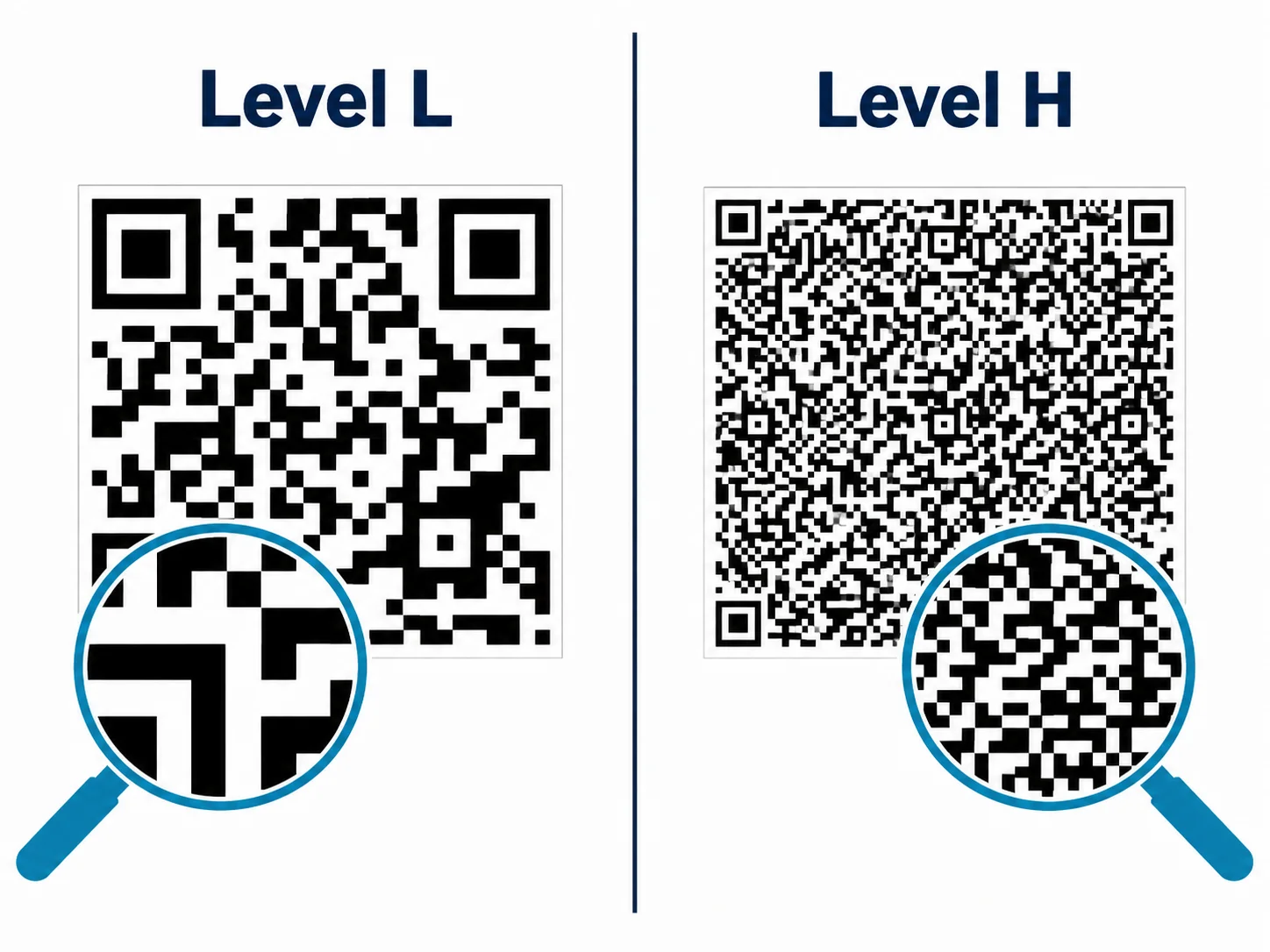
This is the part most articles skip. Higher ECC levels do not produce a code that's the same size as a lower-level code. They produce a code with more modules because the Reed-Solomon backup data takes physical space in the module grid.
At the same print size (say, a 3 cm × 3 cm square on a business card) an H-level code has more modules than an L-level code. Each module is therefore physically smaller. A scanner that resolves modules at 3 cm print size with L-level ECC may fail to resolve the smaller modules of an H-level code at the same size.
This creates a direct conflict: the use cases where you most need high ECC (physical handling, logos, outdoor exposure) are often the same use cases where the code has limited print real estate. Business cards are the clearest example. They get bent, pocketed, and scratched, which demands H. But they're small, which penalizes H's higher density.
Print larger. An H-level code on a business card should be at minimum 2.5 cm × 2.5 cm, ideally 3 cm or more. Trying to fit an H-level code with a logo into a 1.5 cm square is asking the code to fail. That's the whole problem in one sentence.
Why the "Clean-Looking" QR Code Is the Least Reliable
The QR code with the fewest dark modules (the one that looks cleanest and simplest) uses Level L ECC. It's visually appealing. It also breaks the moment a scratch, smudge, or print defect covers more than 7% of its data area.
Some generators market minimal-module codes as "elegant" or "design-forward." They're trading reliability for aesthetics — which is a choice you're entitled to make, as long as you know you're making it. A smudge of coffee on a restaurant table tent that hits an L-level code in the right spot causes a scan failure. The same smudge on an M-level code is invisible to the scanner.
QR Nova's generator defaults to Level M for codes without logos. That's the minimum for any real-world use where the code will face a physical surface. For any code with a logo or outdoor exposure, the generator applies Level H automatically.
Failure Modes: What Actually Happens When ECC Is Wrong
Most articles discuss ECC in the abstract. These are the failure scenarios that actually show up:
Embroidered QR Codes
Thread gaps between stitches create module loss. Depending on thread count and weave pattern, 15-30% of module data can be lost before the embroidery is even washed. Level H is mandatory. But even H-level codes fail with many embroidery setups because module loss from thread gaps and color bleed routinely exceeds 30%. We've seen this destroy otherwise well-designed brand merchandise repeatedly. Don't embroider QR codes unless you can test the specific combination of thread, fabric, stitch density, and scanner distance before production. No ECC level guarantees success here.
Glossy Paper in Direct Sunlight
Glare on glossy surfaces creates temporary "white patches" where the scanner's camera sees overexposed white rather than the actual module color. If the patch covers more than the ECC threshold, the scan fails. Conference name badges, typically printed on glossy stock, fail outdoors for exactly this reason. Level H reduces but does not eliminate this risk; matte lamination is the real solution.
Newspaper and Halftone Printing
Halftone printing creates dots, not solid fills. At QR module scale, a "solid black module" is actually a cluster of ink dots with white gaps between them. Scanners expecting binary black/white see gray, and if the module's gray value falls near the decoding threshold, it reads as white instead of black. That's equivalent to module erasure. Newspaper QR codes require Level H and should be tested at the specific print resolution before publication.
Physical Scratching on Laminated Surfaces
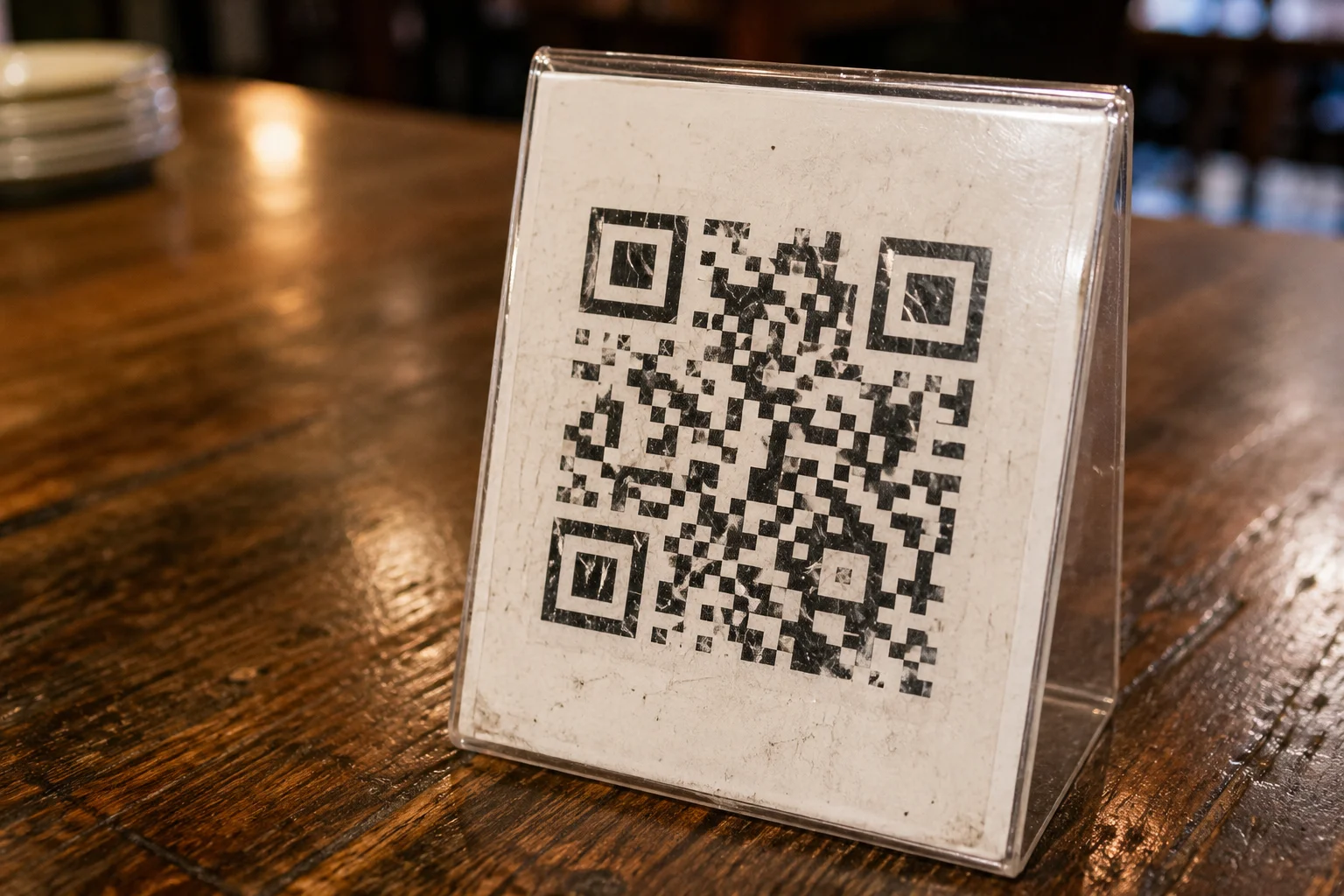
Restaurant table tents, loyalty cards, and point-of-sale materials get wiped daily. Surface scratches accumulate. Each scratch that crosses module boundaries degrades the data. An L-level code on a restaurant table tent typically fails within a few weeks of normal use. Level H extends reliable life significantly, but physical replacement on a regular schedule remains necessary for high-wear surfaces.
Which Error Correction Level to Use: Decision Table
Based on ISO/IEC 18004 specifications and real-world scanning behavior, here is the correct ECC selection by use case. Other guides skip this table because it requires actually knowing where the codes will be used:
| Use Case | Recommended ECC | Reason |
|---|---|---|
| Digital display (screen), no logo | L or M | No physical damage risk. L maximizes data capacity; M gives a small safety margin for display glitches. |
| Print on office paper, no logo | M | Minimal physical handling, but ink variation and slight paper damage justify M over L. |
| Print with any logo or design overlay | H | Logo physically covers modules. H (30%) is the only level with enough headroom. |
| Outdoor signage, posters, banners | H | Weather, UV fading, surface contamination, and glare all degrade modules over time. |
| Business cards | H | Cards get bent, pocketed, and scratched. High physical handling demands maximum resilience. |
| Restaurant table tents (wiped daily) | H | Daily surface cleaning causes cumulative module damage. H extends usable lifespan. |
| Embroidered or textured surfaces | H | Thread gaps cause module loss. H is mandatory, but test before production. May still fail. |
| Newspaper / halftone printing | H | Halftone dots break solid module fills. H provides maximum tolerance for gray-zone modules. |
| High-resolution large-format print | M or H | Higher resolution handles denser H-level codes, but M is often sufficient at large sizes. |
| Product packaging (warehouse/logistics) | Q or H | Industrial scanners, rough handling, and label adhesion failures require high redundancy. |
Why Generators Don't Tell You What Level They're Using
Most QR generators expose ECC level as an advanced setting buried in options menus, or don't expose it at all. Generators that support logo embedding almost universally switch to Level H automatically (correct behavior), but they do so silently. The user sees a nice-looking branded QR code with no idea it's running H-level ECC, meaning it's denser than it would be at lower levels.
This bites people when they take a logo QR code and try to print it very small. The code was generated at H-level to support the logo, but at 1.5 cm it's too dense to scan reliably. The user assumes something else went wrong: bad scan, dirty screen, wrong generator. The actual cause is that H-level module density at that print size exceeds most smartphone cameras' resolution limits.
The fix: when adding a logo, always check the generated code's print size recommendation. If the generator doesn't provide one, use the minimum size rules from ISO 18004. For H-level codes, that's 2.5 cm minimum, preferably 3 cm or more for reliable scanning across a range of devices.
How QR Nova Handles ECC
QR Nova applies ECC selection based on what you're actually building:
- No logo, digital use: Level M (safe default with minimal size impact)
- Logo added: automatic switch to Level H (required for any overlay)
- Manual override: available in advanced settings if you know your specific use case demands it
The generator also shows the minimum recommended print size for the generated code, so you know before printing whether the H-level density is compatible with where the code is going. Static QR codes generated on QR Nova never expire. The ECC level you choose at generation time holds for the life of the code without any subscription required.
If you've already printed a code and it's failing, the ECC level cannot be changed retroactively. You need to generate a new code, which for static QR codes means the URL is baked in again from scratch. For dynamic QR codes, the redirect target can be changed without reprinting, but the ECC level of the physical code is still fixed. Get ECC right before you print.
When Higher ECC Won't Save Your Code
Error correction has hard limits. Level H recovers up to 30% of codewords. If damage exceeds that threshold, the code fails regardless of level. No ECC level compensates for:
- A logo covering more than 30% of the module area
- Embroidery thread gaps exceeding 30% module loss
- Physical destruction of the finder patterns (the three corner squares), which are required for scanner orientation and cannot be error-corrected away
- Low-contrast printing where modules are indistinguishable from the background
- Print resolution so low that individual modules merge into blobs
Error correction is a resilience mechanism, not a repair mechanism. Think of it like a seatbelt: it dramatically improves your odds within its design parameters, but it doesn't help you survive a crash at twice the speed it was tested for. Outside those limits — bad contrast, destroyed finder patterns, logos that are too large — nothing changes the outcome.
For a complete checklist of QR code design requirements beyond ECC, see the ISO 18004 design rules guide, which covers quiet zone requirements, contrast ratios, and print size minimums that compound with ECC level selection.
Ready to generate a QR code with the right error correction level for your use case? QR Nova's free generator applies the correct ECC automatically and shows you the minimum print size. No sign-up required.
Frequently asked questions
What is QR code error correction?
QR code error correction is a built-in redundancy mechanism defined in ISO/IEC 18004 that lets scanners reconstruct damaged or obscured modules. It uses Reed-Solomon coding — the same algorithm used in CDs and deep-space communications — to store backup data alongside the encoded information.
What are the four QR code error correction levels?
The four levels are L (Low, 7% recovery), M (Medium, 15% recovery), Q (Quartile, 25% recovery), and H (High, 30% recovery). Higher levels add more redundant modules, making the code more resilient but also larger and denser at any given print size.
Which error correction level should I use for a QR code with a logo?
Always use Level H when adding a logo. The logo physically obscures modules, and Level H (30% recovery) provides the headroom needed for a scanner to reconstruct the data behind it. Most QR generators that support logos auto-select H — but they often don't tell you this.
Does higher error correction make a QR code harder to scan?
At small sizes or low print resolution, yes. Higher ECC adds more modules to the code, so each module prints smaller at the same physical size. At very small sizes — under 2.5 cm (1 inch) — an H-level code may be denser than the camera can resolve, while an L-level code on the same surface would scan cleanly.
Why do embroidered QR codes almost always fail to scan?
Thread gaps create module loss that exceeds ECC thresholds. Even at Level H (30% recovery), if stitching loses more than 30% of module data through gaps, misalignment, or color bleed, no algorithm can reconstruct the code. Embroidered QR codes are high-risk regardless of ECC level.
What ECC level do QR generators use by default?
Most generators default to M (15%). Generators that support logo embedding silently switch to H (30%) — which is correct behavior, but they rarely explain why or what the size implications are.
Can I change the error correction level after creating a QR code?
No. The ECC level is baked into the QR code's structure at generation time. Changing it means generating a new code. If you've already printed materials, you cannot upgrade the ECC of an existing static QR code.
What is Reed-Solomon coding in QR codes?
Reed-Solomon is a mathematical error-correcting code invented by Irving Reed and Gustave Solomon in 1960. It adds redundant polynomial equations to the encoded data so decoders can reconstruct missing or corrupted bytes. QR codes use Reed-Solomon coding as their error correction mechanism, as defined in ISO/IEC 18004.
Related articles
QR Code Design Rules: 7 Specs for Scannability (2026)
Quiet zone 4 modules. Contrast 70%+. Logo ≤30%. ISO 18004 requirements — not opinions. Validate every QR design before it goes to print.
QR Code for Posters: Size, Placement & Print Guide
How to add a QR code to a poster that actually gets scanned — distance-based sizing, placement, contrast, and a clear call to action. Free, no account needed.
QR Code Error Correction Levels Explained: L, M, Q, H
QR code error correction levels L, M, Q, H control damage tolerance. Learn Reed-Solomon math, recovery percentages, and which ECC level to pick.
Generate a QR code with the right ECC — free
Get started