QR Code Stops Working After You Cancel? Here's Why
QR code stops working after you cancel or end a trial? It's by design. Learn what happens, which platforms do it, and how to protect printed materials.
This article was written by the QR Nova team. We build QR code software, which may inform our perspective.
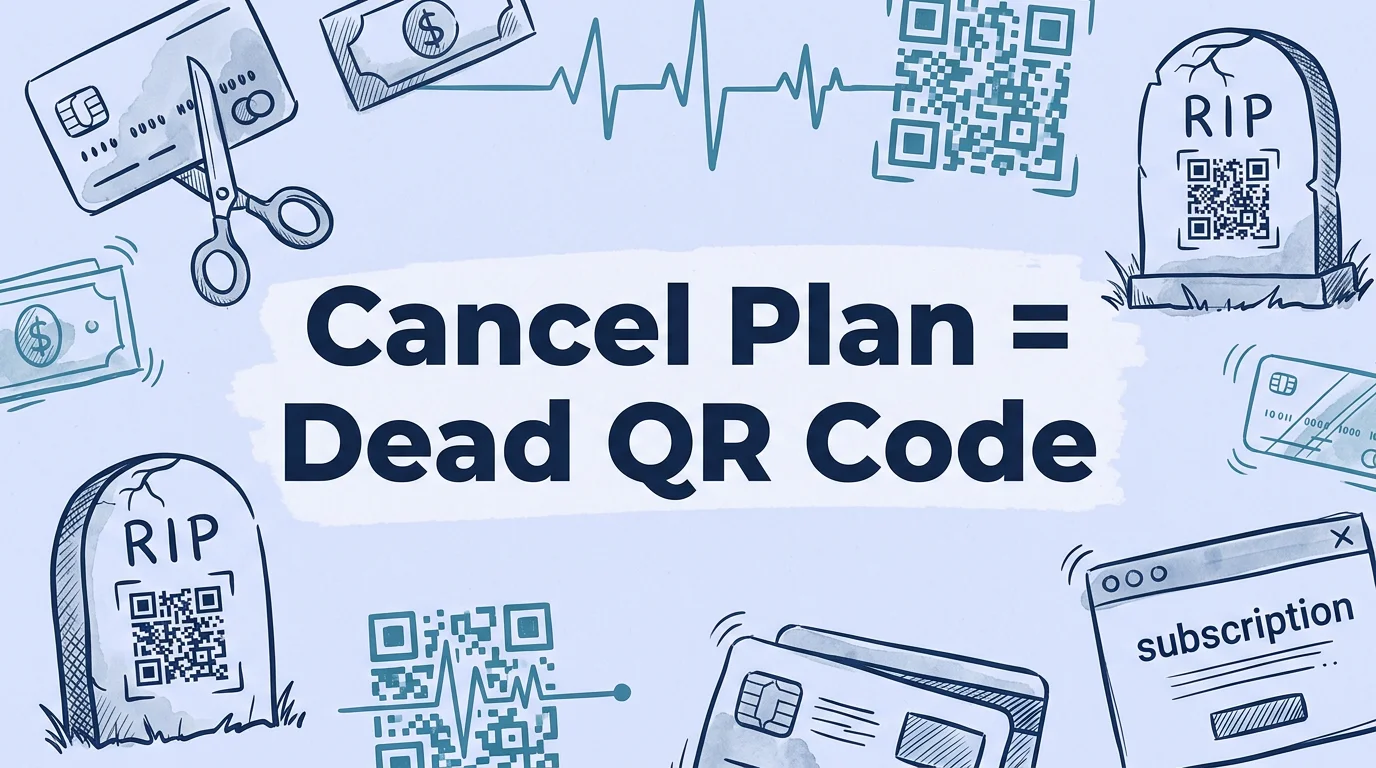
If your QR code stopped working after you cancelled a subscription, or after a free trial ended, you weren't hit by a technical glitch. You were hit by a business model. The platforms that provide dynamic QR codes are designed so that your printed materials become leverage. Here's what actually happened. Dynamic QR codes work through the platform's redirect server. When you stop paying, the server stops redirecting. The QR code image is unchanged, your camera reads it fine, but the platform returns an error instead of your destination. Every business card, menu, flyer, and product label you've ever printed is now broken. This is not a bug. It's the core mechanism of QR code subscription revenue.
TL;DR
- Dynamic QR codes stop working when subscriptions lapse because the redirect happens on the platform's server, not in the code itself.
- Most major platforms (QR Code Generator, Beaconstac, QRFY, QR Tiger) deactivate codes immediately when trials end or subscriptions cancel.
- The code can be reactivated by restoring your subscription, no reprinting needed. But your audience experienced broken codes during the outage.
- Static QR codes never stop working, the destination is in the code, not on a server. The only way they break is if the destination URL itself goes offline.
- The fix for print materials: use static codes for permanent destinations, or choose a platform that doesn't condition code activity on active payment.
Why QR codes stop working: the technical explanation
Get QR codes that never deactivate — free
Get startedA dynamic QR code does not contain your website URL. It contains a short redirect URL, typically something like qr.example.com/abc123, that points to the platform's server. When someone scans the code, their phone sends an HTTP request to that short URL. The platform's server receives the request, looks up your destination URL in its database, and issues a redirect (typically a 301 or 302 HTTP response) sending the scanner to your actual page.
This architecture is why dynamic codes are useful: you can change the destination without reprinting, because the destination is stored on the platform's server, not in the code's pixel pattern. It also enables scan analytics, every time someone hits the redirect server, the platform can log the time, location, device type, and count.
The same architecture is why the code stops working when you stop paying. The lookup from short URL to your destination URL is stored in the platform's database. If your account is deactivated, the platform's redirect server either returns an HTTP 404, a custom error page, or a redirect to the platform's own site with a message like "This QR code is currently inactive. The account holder needs to renew their subscription."
Your code still scans. The QR standard (ISO/IEC 18004) only governs what's encoded in the pixel pattern, not what the destination does when reached. The pattern is perfectly intact. But the server at the other end of the short URL has stopped cooperating.
What happens when a QR code is deactivated
The scanner experience when a dynamic QR code is deactivated depends on the platform's implementation. There are three common behaviors:
Platform error page
The most common: the redirect server returns the platform's own branded error page. Something like: "This QR code is inactive. If you're the owner, log in to your [Platform Name] account to reactivate." This is the most aggressive approach because it exposes the platform branding to your customers in the worst possible context, while they're trying to use something you sent them. Several platforms use this deliberately: it creates social pressure on the code owner and brand awareness for the platform among the code owner's customers.
Blank redirect or HTTP 4xx error
The server returns an HTTP 404 (Not Found) or 403 (Forbidden). The scanner's browser shows a standard browser error page, "This page can't be reached" or "404 Not Found", with no explanation. This is the least visible failure from the platform's branding perspective but creates the most confusion for the end user, who has no idea why a QR code leads to a browser error.
Scan counter cutoff (QR tiger free tier)
QR Tiger's free plan doesn't use time-based deactivation, it uses a scan counter. Each free dynamic code allows 500 scans. After the 500th scan, the redirect returns an error. The code doesn't notify the owner when the counter is approaching the limit, so the first signal is typically a customer complaint. For a restaurant table card scanned 50 times a day, 500 scans is gone in 10 days.
Which platforms deactivate QR codes and when
As of April 2026, this is the confirmed deactivation behavior for the five most-used dynamic QR code platforms:
QR code generator (by Egoditor / qr-code-generator.com)
Trial duration: 14 days. On trial expiry without upgrading, all dynamic codes are deactivated. Beaconstac's support documentation explicitly states: "Dynamic QR codes created during a free trial will be deactivated if you don't upgrade to a paid plan, and any printed materials using those codes will stop functioning." Paid plan cancellation: dynamic codes are deactivated at the end of the current billing period. There is no grace period after billing ends. Reactivation restores all codes without reprinting.
Beaconstac / Uniqode
Similar policy to QR Code Generator. Dynamic codes deactivate on trial end or subscription cancellation. Beaconstac markets to enterprise customers, which means print runs at scale when deactivation occurs are larger and more costly. The platform's help documentation acknowledges deactivation on plan cancellation and recommends "downloading your QR code data" before cancelling, an implicit acknowledgement that the codes themselves won't be recoverable in active form.
QR tiger
Free tier: 3 dynamic codes, 500 scans each. No time limit, but the scan cap creates effective expiration. Paid plan cancellation: dynamic codes beyond the 3-code free tier limit are deactivated. The 3 remaining free-tier codes revert to 500-scan caps. As of April 2026, QR Tiger's paid plans start at $7/month (annual billing), which means a restaurant owner who built their operation around QR Tiger dynamic codes is paying at minimum $84/year to keep their table codes working.
QRFY
Free plan: no dynamic codes. Dynamic codes require a paid plan. Cancellation deactivates all dynamic codes immediately. QRFY's free plan is static-only, which at least avoids the trial trap, users who want dynamic codes on QRFY know they're on a paid plan from the start.
Flowcode
Flowcode markets codes as codes that "never expire", meaning they don't impose arbitrary time limits on active codes. The nuance: the "never expires" claim requires your code to remain within your plan's active code limit. Free tier allows 2 active dynamic codes. If you create a 3rd code on the free tier, the 1st code may be deactivated. The "never expires" language is accurate for active codes within plan limits, but doesn't apply if you exceed those limits or cancel a paid plan. Paid plan starts at $25/month.
The print material problem: why this matters more than a broken link
When a hyperlink on your website breaks, you fix it in 30 seconds. When a QR code on 10,000 printed materials breaks, the options are:
- Resubscribe to the platform: restores the codes without reprinting, but requires paying the platform that just held your materials hostage. The cost is not just the subscription fee, it's the leverage the platform now has over your renewal decision.
- Reprint all materials: cost varies by material type and quantity. For a commercial packaging run, a 2026 analysis by Financial Content estimated reprint costs of $5,000 to $40,000 per incident. For restaurant menus or table cards, reprinting 200 cards costs $200–$800 depending on quality. For product packaging in a 50,000-unit production run, reprinting is effectively impossible within any reasonable timeframe.
- Accept the failure and add manual URL signage: the workaround used most often for installed physical materials: add a printed sign with the URL in text next to the broken QR code. This works but damages the brand's digital credibility.
The asymmetry is stark: the platform can restore your codes by flipping a database entry. The cost to you, customer confusion, lost conversions, reprint expenses, is entirely yours.
A March 2026 report from North Penn Now documented the specific pattern: small businesses that cancelled QR subscriptions (often because they didn't use the analytics features they were paying for) and discovered weeks later, through customer complaints, that their entire QR code infrastructure had silently stopped working. In several documented cases, restaurant owners discovered their QR menus were broken only when staff mentioned that customers were asking for paper menus instead.
The 14-day trial pattern: setting the trap
The mechanics of the free trial create a specific failure mode worth understanding in detail, because it's the most common scenario that leads to QR codes stopping after "only a few days."
The sequence:
- User signs up for a free trial to create a QR code for a specific project, an event flyer, a trade show booth, a product launch.
- User creates dynamic QR codes on day 1 or 2 of the trial.
- User prints materials, distributes codes, and begins the event or campaign.
- Trial runs out on day 14. User may or may not receive an email warning.
- Dynamic codes deactivate. Printed materials stop working.
- User discovers the problem when scanning fails, sometimes days after deactivation, because they don't scan their own codes daily.
The financial content analysis noted that many platforms send a trial expiry warning 24–72 hours before deactivation. But these emails arrive in inboxes already saturated with notifications and are often missed, particularly by small business owners who used the platform once for a specific project and haven't logged in since. The deactivation window is short and often silent.
This isn't accidental design. Platforms benefit when trial users are forced to resubscribe urgently, it converts free users to paid users under pressure rather than through considered decision-making.
Real scenarios: when QR code deactivation causes real damage
Product packaging runs
A consumer goods brand creates dynamic QR codes for product packaging during a dynamic QR trial, planning to upgrade to a paid plan once the product launches. The production run is scheduled 3 weeks after sign-up. The trial expires during production. The codes deactivate. By the time the product is on shelves, every unit carries a broken QR code. The brand faces a choice: accept the failure, reprint at significant cost, or cover QR codes with stickers pointing to a new static code.
Event signage and conference materials
A conference organizer creates QR codes for attendee check-in, session feedback, and sponsor activations. Codes are printed on badges, signage, and sponsor materials. Two weeks later, after the event, the organizer cancels the subscription since the event is over. Legitimate cancellation. But some of the materials were kept by attendees: lanyards, printed schedules, and sponsor brochures. For the next several months, anyone who kept those materials and scans a QR code sees a broken link instead of the session recording or the sponsor's landing page.
Real estate and property management
Property management companies use QR codes on window signage, parking notices, and building directories. These signs have physical lifespans of 2–5 years. A subscription that seemed manageable at $30/month becomes a $360/year commitment tied to physical infrastructure, and cancelling it breaks signage that is expensive and inconvenient to replace. The platform knows this. It is part of the retention calculus.
How to protect your printed materials
The decisions that prevent QR code stops-working problems are made before printing, not after.
Use static codes for permanent destinations
If the destination URL is fixed, your homepage, a product page, a Google review link, a WiFi password, use a static QR code. Static codes encode the URL directly in the pixel pattern. No server, no account, no subscription. The code works permanently, regardless of what platform you used to create it.
The only caveat: you cannot change the destination after printing. If the URL changes, you need to reprint. For truly permanent destinations (your domain's homepage, a stable Google review link, a permanent product page), this is acceptable.
For dynamic codes: verify the platform's cancellation policy before printing
Ask this exact question before printing any dynamic QR code at scale: "What happens to my codes if I cancel my subscription?" The answer you want: "Your codes remain active permanently." The answer that signals risk: "Your codes will be deactivated at the end of your billing period."
Get the answer from the platform's help documentation, not from a sales conversation. Sales reps may give reassuring answers that don't reflect actual policy.
Set subscriptions to auto-renew before print runs
If you're using a platform that deactivates on cancellation, ensure your subscription is set to auto-renew before any major print run. Put the renewal date in your calendar with a 30-day warning. Treat the subscription like a utility, it needs to stay active for as long as the physical materials are in circulation.
Download and document your redirect rules
Before cancelling any QR platform, export a list of all your dynamic codes and their destination URLs. Most platforms provide this as a CSV export. This data is the raw input needed to recreate equivalent codes on a new platform if you need to migrate. Without this export, you may lose the mapping entirely.
Prefer platforms with permanence commitments
Some platforms build their model around permanent code availability. QR Nova's static codes require no account and never expire. For dynamic codes, the model that aligns with physical material use cases is one where codes remain active regardless of subscription status, even if analytics and editing features require a paid plan, the basic redirect should not stop working just because a subscription lapses.
How QR nova handles this
QR Nova was built with a specific constraint in mind: printed materials have physical lifespans that don't align with subscription billing cycles. A business card stays in someone's wallet for 3 years. A product package stays on a shelf for 18 months. A restaurant table card gets handled daily for a year. None of these timelines should depend on a monthly subscription remaining active.
Static codes at QR Nova require no account and never expire. Create your permanent QR code free, download it immediately, print it on anything, and it works for the lifetime of the printed material. No account, no subscription, no deactivation.
For the broader question of QR code expiration, including when expiration is intentional and useful, the full explanation is in our complete guide.
The broader pattern: subscription leverage on physical infrastructure
QR code subscription deactivation is a specific instance of a broader pattern: platforms that monetize by making their service difficult to leave. Most subscription SaaS creates switching costs through data lock-in or workflow integration. QR code platforms have created a uniquely physical form of lock-in: your printed materials.
The FTC's January 2026 Advance Notice of Proposed Rulemaking on negative option practices, targeting subscription models designed to be easy to join and difficult to cancel, explicitly cited patterns where users' prior commitments are used as leverage. While the notice focused on digital subscriptions, the QR code case is arguably more severe: the leverage is not just a digital account but physical objects in the real world that the user cannot easily recall or update.
The financial analysis from Financial Content estimated that in 2025, QR code subscription deactivation events cost affected businesses a combined $100–500 million in reprint costs, lost conversions during downtime, and emergency resubscription fees paid under pressure. This is not an estimate of total subscription revenue, it's an estimate of the damage caused specifically by deactivation events.
For businesses evaluating QR code platforms in 2026, the correct question is not "how much does the plan cost per month" but "what happens to my physical materials if I need to leave, forget to renew, or decide the analytics aren't worth the cost?" The answer to that question separates platforms built for their customers' interests from platforms built against them.
See our complete analysis of the structural issue in QR code vendor lock-in, including a platform-by-platform comparison of data portability, migration paths, and permanence policies.
Frequently asked questions
Why does my QR code stop working when I cancel my subscription?
Dynamic QR codes don't contain your URL, they contain a short redirect URL that points to the platform's servers. When you scan the code, the platform's server looks up your actual destination and forwards you there. If your subscription lapses or your trial ends, the platform stops running that lookup. The code still scans (your camera reads it fine), but the redirect returns an error instead of forwarding to your destination.
Will my QR code stop working if I cancel after a free trial?
On most platforms, yes, immediately. QR Code Generator by Egoditor, Beaconstac/Uniqode, QRFY, and QR Tiger all deactivate dynamic codes when a trial ends without upgrading. The deactivation typically happens within hours of trial expiry, sometimes within minutes. Any printed material using those codes stops working at that moment.
Can I reactivate a QR code that stopped working?
Yes, on most platforms, reactivating your subscription restores the redirect and the code starts working again, without reprinting. The redirect rule (your destination URL) is stored on the platform and is restored when you reactivate. However, any scanning attempts during the deactivated window have already failed for your audience.
What happens to people who scanned my code while it was deactivated?
They typically see an error page, a platform-branded page asking you to renew, or a blank response. The scanner's phone successfully reads the QR pattern, sends a request to the platform's redirect server, and receives an error. The user experience is a dead link, indistinguishable from a broken URL.
Is there a way to make a QR code that won't stop working?
Yes: static QR codes never stop working because they encode the destination URL directly in the code pattern, there is no platform server in the chain and no subscription required. The limitation: you can't edit the destination after printing. For editable codes that stay permanently active, use a platform that explicitly commits to permanent code availability, not one that ties activity to subscription status.
Do static QR codes ever stop working?
Static QR codes stop working only if the destination URL goes offline, the website is taken down, the domain expires, or the URL structure changes. The QR code image itself is permanent. There is no server dependency, no account requirement, and no subscription to cancel. A static QR code printed in 2015 still works today if its destination URL is still live.
How long does a free trial QR code last?
Free trial lengths vary by platform: QR Code Generator (Egoditor) offers 14-day trials; Beaconstac/Uniqode offers 14 days; QR Tiger offers a free tier with 500-scan caps per code (not time-limited, but scan-limited). The codes remain functional during the trial window and deactivate at trial end. Some platforms send warning emails as the trial approaches expiry, many do not.
What should I do before printing QR codes from a subscription platform?
Verify the platform's deactivation policy in writing before printing at scale. Ask specifically: 'What happens to my dynamic codes if I cancel my subscription?' Ensure your subscription is set to auto-renew before any major print run. For materials that will be in circulation longer than your current subscription term, either use static codes or choose a platform with permanent code guarantees.
Related articles
What Happens When You Cancel a QR Code Subscription
What happens when you cancel a QR code subscription? Dynamic codes die at the billing cutoff. What each platform does — and how to protect yourself.
Why Do QR Codes Expire? The Real Causes
Why do qr codes expire? It's not the code itself — it's the redirect server behind it. Learn the 4 causes and how to avoid codes that die on you.
Permanent QR Code: How to Get One That Never Expires
Permanent QR codes exist, but most platforms lie about what 'permanent' means. Learn which codes truly never expire and how to avoid the subscription trap.
Get QR codes that never deactivate — free
Get started