QR Code Expired? How to Fix It Without Reprinting (2026)
QR code expired? Trial end, scan cap, dead URL, or provider shutdown each need a different fix. Diagnose the cause and reactivate without reprinting.
This article was written by the QR Nova team. We build QR code software, which may inform our perspective.
People say a QR code "expired" as if that explains anything. It doesn't. An expired QR code can mean four completely different failures, and only one of them has an easy fix. Before you reprint anything, scan the code, copy the decoded URL, and test that URL directly in a browser. That single step tells you whether the problem is a dead destination, a deactivated dynamic redirect, a scan cap, or a platform that disappeared. If you skip that diagnosis and reprint immediately, you can end up printing the same problem twice.
TL;DR
- If the code opens a short QR-platform URL, it is dynamic. Check whether the trial ended, the subscription lapsed, or the scan cap was hit.
- If the code opens your final URL directly, it is static. The code is fine; the destination page or domain is the thing that broke.
- If the platform domain itself no longer resolves, the code is unrecoverable. Reprint is the only option.
- Use static codes for permanent destinations and use dynamic codes only when you actually need editing or analytics.
QR code expired: what to do first
Create a QR code that never expires — free
Get startedIf your QR code says expired, do this in order. 1) Scan the code. 2) Copy the exact URL shown by the scanner before it opens. 3) Paste that URL into a browser. 4) Note what happens: 404, payment wall, inactive-code page, wrong redirect, or dead domain. That behavior tells you which fix applies. Do not regenerate or reprint until you know which failure you have.
This is the critical distinction most guides miss. The printed QR image is usually not the thing that changed. The QR code is just a carrier. The failure almost always lives in the URL, redirect layer, or platform dependency behind it.
What “expired” usually means in practice
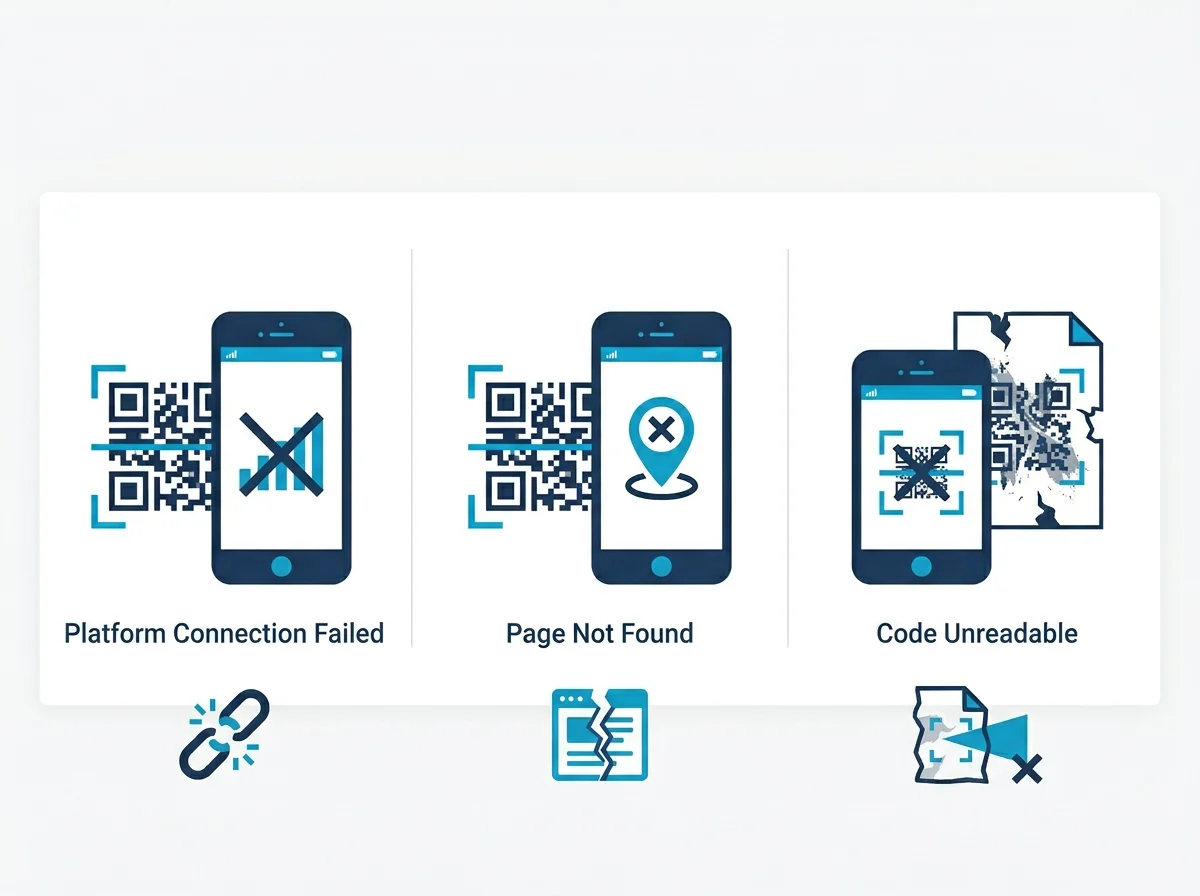
In real use, "expired QR code" is shorthand for one of these four situations:
- Trial or subscription ended: the code is dynamic, the redirect exists on the provider's server, and that server stopped forwarding traffic.
- Scan limit reached: the provider allowed the code to work until some free-tier threshold, then deactivated it.
- Destination changed or disappeared: the QR code still resolves, but the webpage behind it is gone.
- Provider shutdown: the domain encoded in the QR code no longer exists at all.
Uniqode's official QR code expiry guide, updated on April 20, 2026, describes those same broad causes: subscription lapse, deleted destination, scan limits, provider shutdown, and print damage. That matters because it confirms the problem is not the printed pattern "aging out." It is infrastructure.
That distinction matters operationally. If you label every failure as “expired,” your team jumps straight to replacing artwork or print stock. If you separate destination failure from redirect failure, you often discover the printed asset was fine and only the delivery chain broke.
If the trial or subscription ended
This is the most common version of "expired." The QR code contains a short redirect URL from the platform that created it. When someone scans, their phone visits that short URL first. The platform then decides where to forward the person. If billing stops, the forwarding often stops too.
Symptoms are usually obvious once you test the decoded URL directly:
- A platform-branded page that says the code is inactive.
- A login or upgrade page instead of your destination.
- A generic "link not found" response on the provider's own domain.
Fix: log in to the original provider, verify account status, and reactivate the plan if the code is important enough to save. If the provider is still healthy, this usually restores the redirect without reprinting. If you do not want to keep paying, you still need the redirect alive long enough to migrate. Export your destination list, replace the printed code where possible, and stop treating dynamic codes as permanent infrastructure unless the provider gives a real permanence guarantee. The deeper explanation lives in our guide to QR codes that stop working after cancellation.
If the code hit a scan cap
Some free-tier dynamic QR tools do not expire by date. They expire by usage. The code works until enough people scan it, then it silently becomes inactive. That is why a QR code can seem fine in testing and then "expire" after you put it on a restaurant table, product package, or event sign.
The fix is simple but annoying: upgrade on the same provider if possible, then test again. If the provider's free tier is the problem, the printed materials are now tied to that provider's billing model whether you like it or not. This is one reason we push businesses toward static codes for stable destinations and reserve dynamic codes for cases where editing or analytics genuinely matter.
QR Code Generator's own February 11, 2026 article makes the same point in softer language: dynamic codes are flexible, but subscription-dependent. That dependency is the real expiration risk.
If the destination page moved or was deleted
This is where people misdiagnose the problem. The QR code did not expire. The page behind it did. A static QR code that points directly to https://yourdomain.com/menu will still scan perfectly years later. But if your site redesign changed the page to /food-menu, users now land on a 404 and assume the QR code expired.
Fix depends on the type of code:
- Dynamic: update the destination URL in the provider dashboard. No reprint needed.
- Static: add a redirect on your own website from the old path to the new one. If you cannot control the old path, reprint.
This is also why the right first move is always to copy the decoded URL and test it. If the browser shows a normal 404 on your own domain, you are dealing with content drift, not QR code expiry.
If the provider shut down
This is the bad one. If the QR code points to a provider-owned short domain and that domain no longer resolves, there is nothing to restore. The printed QR code is now hardwired to infrastructure you do not control. No dashboard edit fixes that. No subscription renewal fixes that. No redirect on your own site fixes that. The QR code must be replaced.
That is why "QR code not working" and "QR code expired" are not identical searches. "Not working" often has a dashboard fix. Provider shutdown does not. If the platform is gone, your only real path is to generate a new code and replace or reprint the materials carrying the old one.
When reprinting is actually necessary
You need to reprint when any of these are true:
- The code is static and the encoded destination URL is wrong or dead, and you cannot control that old URL.
- The code is dynamic but the provider shutdown killed the short domain.
- The code is physically damaged or fails to scan at all, which is a different issue covered in our troubleshooting guide.
You do not need to reprint just because the word "expired" showed up once. Too many businesses reprint menus, cards, and signs when the real fix was renewing a plan or changing a destination URL in a dashboard.
When this advice will not save the code
If the code is printed on large, distributed physical inventory, the technical fix may still be commercially useless. A provider reactivation restores the redirect, yes, but it does not remove the underlying risk. If you already got burned once, you should assume it can happen again. Reactivating buys time. It does not make the setup safe.
Likewise, if the code lives on product packaging, outdoor signage, or anything with a long shelf life, relying on a fragile free-tier dynamic service is simply the wrong system design. Static first. Dynamic only with deliberate vendor scrutiny. That is the core lesson.
How to avoid “expired QR code” problems next time
- Use static codes for fixed destinations. If the URL does not need to change, do not add a redirect platform into the chain.
- Keep dynamic codes for genuine dynamic use cases. Analytics, post-print editing, geo rules, scheduled redirects. Real reasons only.
- Audit the provider before you print. Ask what happens when billing stops, what the scan limits are, and whether old redirects remain active.
- Own the destination stability. If your QR code points to your own site, maintain redirects when pages move.
- Test from two devices before and after launch. One iPhone, one Android, real browser load all the way through.
Best recovery path if the code matters today
If this code is already on live print materials, the practical recovery path is:
- Diagnose the decoded URL.
- Restore service fast if the old provider still exists.
- Replace the destination or redirect if the URL moved.
- Plan a migration away from any setup that made the code "expire" in the first place.
At QR Nova, static codes stay out of this trap entirely because they do not depend on a platform redirect to remain alive. If you need editable destinations after printing, choose a provider whose permanence policy you can defend, not one whose billing model can quietly break your physical materials. If you want the broad background, read Do QR Codes Expire?. If you need the business-model version of the problem, read what happens after cancellation.
Frequently asked questions
What does it mean when a QR code says expired?
It usually means the QR pattern still scans, but the thing behind it stopped working. Most often that is a dynamic redirect that was deactivated after a trial ended, a subscription lapsed, a scan cap was reached, or the destination page was removed.
Can an expired QR code be fixed?
Sometimes. If the code is dynamic and the original platform still exists, renewing the subscription or updating the destination can restore it without reprinting. If the platform shut down or the code is static and points to a dead URL, reprinting is the only fix.
How do I know if my QR code is static or dynamic?
Scan it and look at the URL before opening it. If you see a short branded redirect URL from a QR platform, it is dynamic. If you see your final destination URL directly, it is static.
Why did my QR code work before and then expire?
The most common reason is that the code was dynamic and depended on a platform subscription, trial, or scan allowance. The printed image did not change. The redirect service behind it did.
What should I do before reprinting an expired QR code?
First scan it and copy the decoded URL. Then test that URL in a browser. That tells you whether the problem is a dead destination, a deactivated redirect, or a platform shutdown. Reprinting before that step wastes time and often money.
Do static QR codes expire?
Static QR codes do not expire on their own. They only stop being useful if the destination URL goes offline, changes, or redirects incorrectly.
Can a free QR code expire after too many scans?
Yes, on some dynamic QR platforms. Uniqode's April 20, 2026 guide on QR code expiry notes that some free-tier generators deactivate codes once scan limits are reached, even though the printed code looks unchanged.
What if the QR code provider shut down?
If the QR code depends on that provider's redirect domain, there is no recovery path. The printed code points to infrastructure that no longer exists. You need a new code and new print materials.
Related articles
QR Code Deactivated? How to Fix It
QR code deactivated? Learn exactly why platforms deactivate codes, which ones do it silently, and the fastest way to reactivate, or escape permanently.
Why Do QR Codes Expire? The Real Causes
Why do qr codes expire? It's not the code itself — it's the redirect server behind it. Learn the 4 causes and how to avoid codes that die on you.
What Happens When You Cancel a QR Code Subscription
What happens when you cancel a QR code subscription? Dynamic codes die at the billing cutoff. What each platform does — and how to protect yourself.
Create a QR code that never expires — free
Get started