What Is a QR Code and How Does It Work?
What is a QR code? A complete guide, how they work, types, uses, and what no one tells you about which codes actually expire. Clear, honest, no fluff.
This article was written by the QR Nova team. We build QR code software, which may inform our perspective.
Most explanations of what a QR code is either stop at "it's a scannable square that opens a website" or bury the useful details under five paragraphs of history no one asked for. Neither version tells you what you actually need to know before creating one. A QR code is a two-dimensional barcode that encodes data, typically a URL, in a pattern of black and white squares, readable by any smartphone camera. But the type of QR code you create determines whether that code works forever or dies the moment you cancel a subscription. That distinction is what this guide covers, from how the technology actually works to what separates permanent codes from temporary ones.
TL;DR
- A QR code stores data (usually a URL) in a pattern of black and white modules, any smartphone camera reads it instantly.
- Static QR codes encode data directly into the image and never expire. Dynamic QR codes redirect through a server and expire when the subscription lapses. The full breakdown is in our static vs dynamic QR codes guide.
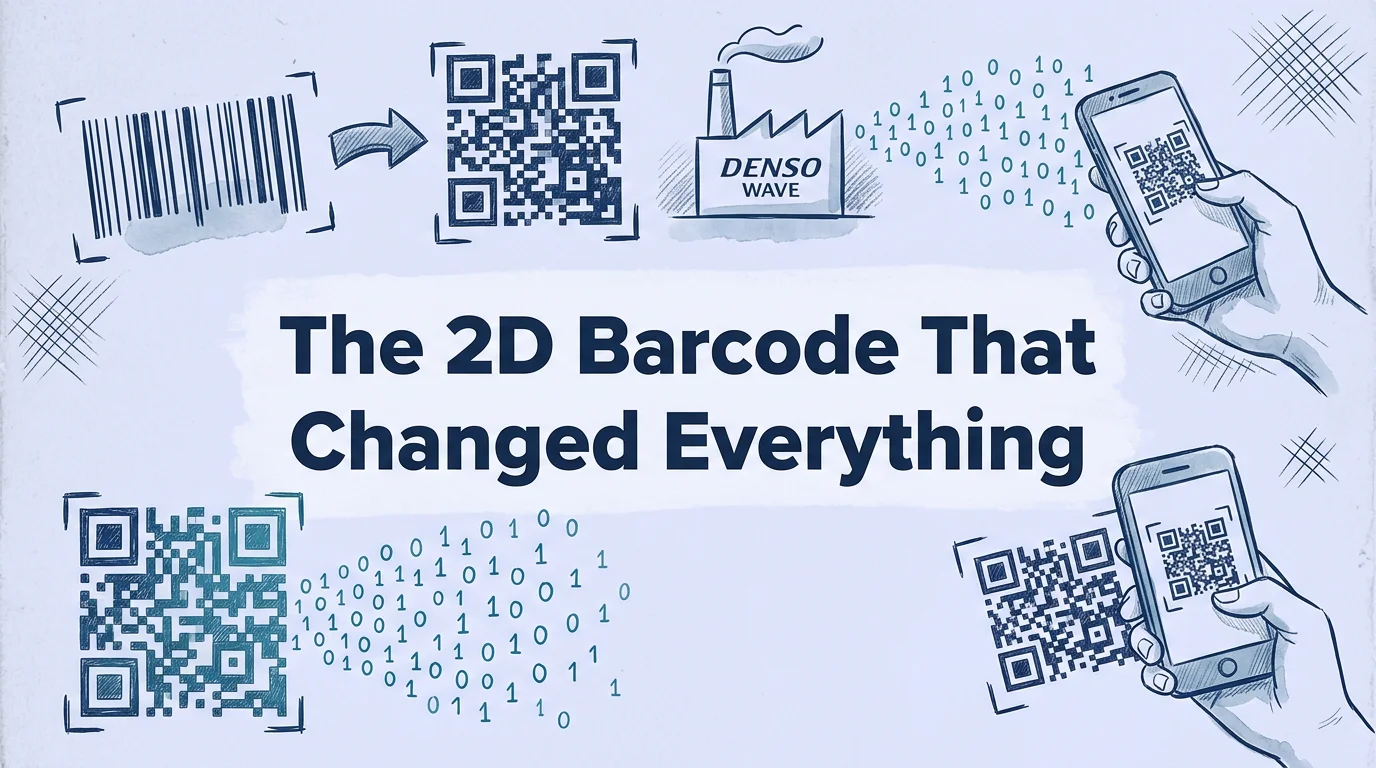
- QR codes were invented in 1994 by Masahiro Hara at Denso Wave to track Toyota auto parts; the same core technology is in every QR code generated today.
- You can create a free QR code in under two minutes with no account required, for a URL, WiFi network, contact card, or PDF.
What is a QR code?
Generate your first QR code — free
Get startedA QR code, short for Quick Response code, is a two-dimensional matrix barcode that stores data in a square pattern of black modules (representing binary 1) and white modules (representing binary 0). The pattern is read by a camera, decoded by software, and translated back into the original data, most commonly a URL, which the device then opens in a browser.
The key phrase is "two-dimensional." A traditional barcode stores data in one dimension, varying widths of vertical lines, read by a single horizontal sweep. A QR code stores data across both horizontal and vertical axes, which gives it dramatically higher data capacity. A standard retail barcode holds 20 to 30 characters. A QR code holds up to 7,089 numeric digits, 4,296 alphanumeric characters, or 2,953 bytes of binary data, in a pattern that fits on a business card.
QR codes are governed by ISO/IEC 18004, the international standard that defines everything about the format: module arrangement, error correction algorithms, encoding modes, and scanning requirements. The current version, ISO/IEC 18004:2024, was updated to address modern use cases and device capabilities. Every QR code generated by every platform, QR Nova, QR Tiger, QR Code Monkey, or any other, must conform to this standard to be readable by standard scanning apps.
A brief history: who invented the QR code?
The QR code was invented in 1994 by Masahiro Hara, an engineer at Denso Wave, a subsidiary of Toyota (then part of Denso Corporation). The problem Hara was trying to solve was practical and unglamorous: factory workers at Toyota assembly plants were spending too much time scanning multiple standard barcodes on parts boxes. Each box might require 10 separate barcode scans to capture all the relevant part data. The process was slow and error-prone.
Hara's team needed a barcode that could encode far more information and be scanned quickly at any angle, not requiring precise alignment, as traditional barcodes did. The resulting design was influenced by the Go board game: the high-contrast pattern of black and white pieces on a grid suggested how binary data could be arranged spatially. The three square finder patterns in the corners, the distinctive "three squares" that make a QR code visually recognizable, were chosen by analyzing printed matter to find the pattern least likely to appear accidentally, which turned out to be the 1:1:3:1:1 black-to-white ratio.
Denso Wave made the QR code format openly available, they hold the patent but chose not to enforce it, which is why any developer could implement QR code reading and generation without licensing fees. This open approach is directly responsible for the format's global ubiquity. The IEEE recognized the QR code as a milestone in electrical engineering in 2022.
How does a QR code work?
A QR code works by encoding data into a binary matrix and then decoding that matrix with a camera sensor and image processing software. The process has three distinct phases: encoding, scanning, and decoding.
Encoding: how data becomes a pattern
When you enter a URL into a QR code generator, the software converts the text into a binary sequence using one of four encoding modes: numeric (digits only), alphanumeric (uppercase letters and digits), byte (any UTF-8 character), or kanji (Japanese characters). Most URLs use byte mode.
The binary data is then arranged into the QR code's data modules, the small squares that fill the interior of the code, following a precise algorithm. Error correction data is woven throughout: the QR code standard defines four error correction levels (L, M, Q, H) that add redundant data, allowing the code to remain readable even if damaged. Level H adds enough redundancy to survive up to 30% physical obstruction, which is why QR codes with embedded logos can still scan, the logo covers part of the pattern, but the error correction reconstructs the missing data.
The structural elements you can see
A QR code isn't just a field of random squares. It has specific functional zones:
- Finder patterns: The three large squares in three corners (top-left, top-right, bottom-left). These allow the scanner to locate the code and determine its orientation, the code can be scanned from any angle, upside down, or at a tilt.
- Alignment patterns: Smaller squares in the interior, used for codes larger than Version 2. They help the scanner correct for image distortion when the code is on a curved surface.
- Timing patterns: Alternating black and white modules running between the finder patterns. They define the module grid spacing.
- Format information: Two strips of modules adjacent to the finder patterns that encode the error correction level and masking pattern used.
- Quiet zone: The white border around the code. ISO/IEC 18004 specifies a minimum quiet zone of 4 module widths. Scanners use the quiet zone to locate the code boundary, removing or reducing it can cause scan failures.
- Data modules: The remaining squares encode the actual data and error correction bytes.
Scanning: how a camera reads the pattern
Modern smartphones scan QR codes through their native camera apps using computer vision. The camera captures a frame, the software searches the image for the three finder pattern squares, determines the code's location and orientation, corrects for perspective and distortion (if the code is at an angle), samples the module grid at each cell to determine black or white, and passes the resulting binary matrix to the decoder.
The scanning works in any lighting condition that produces sufficient contrast between the dark and light modules. The minimum reflectance difference specified by ISO/IEC 18004 is 40% between modules and background, which is why white-on-white or low-contrast color schemes fail to scan reliably.
Decoding: from pattern to action
Once the binary matrix is read, the decoding software applies the Reed-Solomon error correction algorithm to reconstruct any damaged data, interprets the encoding mode, and converts the binary back into text. If the result is a URL, the OS triggers a browser navigation. If it's a WiFi credential string (the WIFI:S:NetworkName;T:WPA;P:password;; format), the OS offers to connect to the network. If it's a vCard, the OS offers to save the contact.
The entire process, from frame capture to action, typically takes under half a second on a modern device.
Types of QR codes
The term "QR code" covers several distinct technologies that behave very differently from each other. Understanding the types matters before creating codes that will appear on physical materials.
Static QR codes
A static QR code encodes the destination data, a URL, WiFi credentials, contact information, directly into the module pattern. The data is permanent; once generated, the pattern cannot be changed without generating an entirely new code. Static QR codes require no server, no account, and no subscription. They work as long as the physical code is readable and the destination (for URLs) remains live.
Static QR codes are free on every platform. They are the right choice for the majority of real-world use cases: restaurant menus pointing to a stable URL, WiFi network credentials, business card contact information, product labels pointing to a permanent product page.
Dynamic QR codes
A dynamic QR code encodes a short redirect URL, a platform-generated slug like qrnova.io/r/abc123, rather than the actual destination. When scanned, the user's device sends a request to the platform's redirect server, which looks up the destination in a database and returns an HTTP redirect. The destination can be updated in the platform dashboard at any time without reprinting the code.
Dynamic codes also enable scan analytics, because every scan passes through the server: device type, approximate geographic location, date, time, and total scan count are logged per scan.
The trade-off is a server dependency. Most platforms deactivate dynamic codes when subscriptions lapse. As of April 2026, QR Tiger's free plan caps dynamic codes at 500 total scans, exceed that and the redirect stops. This is covered in detail in the guide to what a dynamic QR code is and how it works.
QR code variants and related formats
The QR code standard has several variants worth knowing:
- Micro QR codes: A compact version for limited-space applications, supporting up to 35 numeric characters. Used in electronics manufacturing for component labeling where a full QR code won't fit.
- iQR codes: A Denso Wave extension supporting rectangular shapes and higher data density, used in specialized industrial contexts.
- SQRC: A Denso Wave variant with a private reading function that requires a specific key, used for access control and authenticated content.
- Frame QR: A Denso Wave extension that creates a canvas area in the center of the code for custom graphics. Similar to the logo-embedded QR codes offered by most generators, but with standardized implementation.
For all standard consumer and business applications, the original Model 2 QR code (defined in ISO/IEC 18004) is what you need. The variants are specialized tools for specific industrial applications.
What can a QR code link to?
QR codes can encode any data that fits within the format's capacity limits. The most common use cases, with their specific encoding formats:
URLs and websites
The most common use case. Any valid URL, including HTTPS URLs, URLs with query parameters, and URLs with UTM tracking parameters, can be encoded. Long URLs (over ~150 characters) produce denser QR codes that require more careful printing and scanning conditions; URL shorteners can reduce length before encoding.
WiFi network credentials
WiFi QR codes use the WIFI:S:[SSID];T:[WPA/WEP/nopass];P:[password];; format. Scanning a WiFi QR code prompts the device to connect to the network automatically, without the user typing the password. Create a WiFi QR code free at QR Nova, no account, no expiration.
Contact information (vcard)
A vCard QR code encodes contact information in the vCard 3.0 or 4.0 format: name, phone number(s), email, physical address, company, job title, and website. Scanning prompts the user to save the contact to their phone's address book. This is the QR code equivalent of a business card, a QR code business card can include all the information from a printed card in a scannable format.
Plain text
Any text up to the format's capacity limit (~2,900 bytes in byte mode) can be encoded directly, instructions, serial numbers, batch codes, or any other text that doesn't need to be a URL.
Phone numbers and SMS
A phone number encoded as tel:+15555555555 prompts the device to dial the number. An SMS format (smsto:+15555555555:Pre-written message here) opens a text message pre-populated with both the recipient and message. Useful for customer service callbacks and support flows.
App store links
Deep links to the App Store or Google Play that open directly to a specific app's download page. Often combined with a dynamic redirect layer so the same QR code can detect the device OS and route iOS users to the App Store and Android users to Google Play.
How to scan a QR code
Since 2017, most smartphones scan QR codes through the native camera app, no third-party app required.
On iPhone (iOS 11 and later): Open the Camera app (not a third-party scanner), point it at the QR code, and hold steady. A notification banner appears at the top of the screen with the decoded action. Tap the banner to follow the link or take the action.
On Android (varies by manufacturer): Most Android phones running Android 8 or later support QR scanning in the native camera app. On some Samsung devices, QR scanning is in the camera's "More" or "Bixby" modes. Google Lens, accessible through the camera app on Pixel devices and via the Google app on most Android phones, also scans QR codes reliably.
On older devices: Third-party apps like Google Lens, Barcode Scanner (ZXing), or the camera apps from major phone manufacturers typically add QR scanning capability. Most of these are free.
The scanning distance depends on the QR code's physical size. As a rule of thumb, the optimal scanning distance is roughly 10× the code's physical width. A 2cm QR code scans reliably at about 20cm (8 inches). A 10cm QR code can be scanned from about 1 meter. Large outdoor QR codes (30cm+) can be scanned from several meters with modern phone cameras.
How to create a QR code
Creating a static QR code takes under two minutes and requires no technical knowledge or account. Our step-by-step guide on how to create a QR code covers every detail, but here's the short version:
- Go to a QR code generator (QR Nova, QR Code Monkey, or others).
- Select the data type: URL, WiFi, vCard, text, email, phone, or other.
- Enter the data you want to encode.
- Customize appearance if desired: add a logo, change module colors, select a module shape style.
- Download the code image. For printing, download as SVG for infinite scalability without quality loss. For digital/screen use, PNG at 1000×1000 pixels or higher is sufficient.
- Test the code before printing at scale, scan it with your phone and verify the action is correct.
For permanent codes, no account or sign-up is required on QR Nova. The code is generated client-side and downloaded immediately. For dynamic codes (editable destination, scan analytics), an account is needed because the redirect needs to be stored somewhere.
Do QR codes expire?
This question has a specific answer, not a vague "it depends."
Static QR codes never expire. The data is encoded into the physical pattern of the image. No server to go down, no subscription to lapse, no scan cap to exceed. A static QR code printed in 2015 still works in 2026 if the destination URL is live. The code itself doesn't degrade, only the destination can become stale.
Dynamic QR codes expire when the platform subscription lapses, when a free tier scan cap is reached, or when the account is cancelled. On QR Tiger's free plan, each dynamic code has a hard limit of 500 total scans. After the 500th scan, the redirect stops and users see an error. On paid plans across most platforms, cancelling the subscription deactivates all dynamic codes tied to that account.
The full breakdown, which types expire, which platforms have which policies, and how to diagnose a broken code, is in the dedicated guide on whether QR codes expire.
Are QR codes safe?
QR codes are a transport mechanism, they're as safe as the URL or data they carry. The scan itself doesn't install anything or access any device data. The risk is where the code sends you.
The primary threat is quishing (QR code phishing): a malicious actor places a QR code, in a phishing email, as a sticker over a legitimate code, or on a fake invoice, that redirects to a credential-harvesting site mimicking a legitimate service. The visual similarity between real and fake codes makes this harder to spot than traditional link phishing.
Practical defense:
- After scanning, check the domain in your browser bar before entering any credentials. The URL should match the expected service.
- Be suspicious of QR codes in unexpected contexts: unsolicited emails, codes on public surfaces in unusual places, or codes that suddenly appear over previously existing ones.
- Dynamic QR codes carry elevated risk because their destination can change after the physical code is printed, a code that pointed to a legitimate site when you first scanned it could be pointing somewhere else the next time.
For business use, sticking to well-known platforms and verifying scan destinations is sufficient protection for standard use cases.
QR codes in context: usage data
QR code adoption grew dramatically during 2020–2022 as contactless interactions became the norm in restaurants, retail, and events. The technology has since normalized: according to a 2025 report by Mordor Intelligence, the global QR code market is projected to reach $33.1 billion by 2030, growing at a CAGR of 16.9% from 2025. Statista data shows that in the United States alone, 99.5 million smartphone users scanned a QR code at least once in 2023, up from 83.4 million in 2022, a number that has continued growing as camera-based scanning became default smartphone behavior.
The most common scan contexts in 2025, per QRCodeKIT's industry data, were restaurant menus (28% of scans), product information (19%), retail promotions (17%), and event check-in or ticketing (14%). The remaining 22% were distributed across WiFi access, business cards, payments, and miscellaneous use cases.
How QR nova approaches QR codes
QR Nova generates both static and dynamic QR codes, with the core premise that a QR code you create should keep working without requiring an ongoing subscription.
For static codes, URL, WiFi, vCard, PDF, plain text, there's no account required and no expiration. The code is computed in your browser, downloaded as SVG or PNG, and that's the full transaction. No server involved, nothing to expire. WiFi QR codes, business card QR codes, and all static types are generated free with no sign-up.
For dynamic codes, QR Nova keeps codes active permanently. Stop logging in and the last destination you configured stays active. This model exists because the alternative, holding physical printed materials hostage to a billing relationship, creates real harm for the businesses and individuals who didn't read the fine print before printing.
You can create a QR code free at QR Nova, static or dynamic, with no sign-up required for static types and no subscription trap for dynamic ones.
Frequently asked questions
What is a QR code?
A QR code (Quick Response code) is a two-dimensional barcode that stores data, most commonly a URL, in a pattern of black and white square modules. A smartphone camera reads the pattern, decodes the stored data, and triggers an action: opening a website, connecting to a WiFi network, saving a contact, or placing a phone call. QR codes were invented in 1994 by Masahiro Hara at Denso Wave, a Toyota subsidiary, originally to track automotive parts.
How does a QR code work?
A QR code encodes data as a pattern of black modules (binary 1) and white modules (binary 0) arranged in a square grid. Three large square finder patterns in the corners allow a camera to locate and orient the code from any angle. An error correction algorithm (Reed-Solomon) allows the code to remain readable even if up to 30% of the pattern is damaged or obscured. Scanning apps decode the binary pattern into the encoded data, typically a URL, and take an action.
What can a QR code contain?
QR codes can contain URLs, plain text, phone numbers, SMS messages, email addresses, WiFi network credentials (SSID and password), vCard contact information, geographic coordinates, calendar events, and app store deep links. The maximum data capacity is 7,089 numeric characters, 4,296 alphanumeric characters, or 2,953 bytes of binary data in a single code.
Do QR codes expire?
Static QR codes never expire, they encode data directly into the image and require no server. Dynamic QR codes expire when the platform subscription lapses. On QR Tiger's free plan, dynamic codes stop redirecting after 500 total scans. Any QR code platform that charges a monthly subscription will deactivate your dynamic codes if you cancel. Static codes, however, work forever as long as the destination URL remains live.
Are QR codes safe to scan?
Scanning a QR code is generally safe, the scan itself just reads a pattern. The risk is where the code sends you. A malicious QR code can point to a phishing site, a malware download, or a fake login page. Before acting on a scanned URL, check the domain in your browser bar. Be cautious scanning codes in unexpected places (unsolicited flyers, stickers placed over existing codes, emails from unknown senders). Dynamic QR codes carry additional risk because their destination can be changed after printing.
What is the difference between a QR code and a barcode?
A traditional barcode is one-dimensional, it stores data in parallel vertical lines that are read by a single horizontal scan. A QR code is two-dimensional, it stores data in a matrix of squares that are read both horizontally and vertically, allowing far greater data capacity. A standard barcode stores 20-25 characters; a QR code stores up to 4,296 alphanumeric characters or 7,089 numeric digits.
Do you need an app to scan a QR code?
No. Since iOS 11 (2017) and Android 8 (2017), the native camera app on iPhones and most Android phones can scan QR codes without any additional app. Point the camera at the code, the phone automatically detects and reads it. Older devices and some Android manufacturers may still require a third-party scanner app.
How do I create a QR code for free?
Visit any free QR code generator, QR Nova, QR Code Monkey, and others offer free static QR code generation with no account required. Enter the data you want to encode (a URL, WiFi credentials, contact info), customize the appearance if desired, and download the image. For print use, download as SVG for infinite scalability. The entire process takes under two minutes.
Related articles
What Is a Dynamic QR Code? How It Works
What is a dynamic QR code? It's a code with an editable destination and scan analytics, but it comes with a subscription trap most guides skip.
How to Make a QR Code (Without It Failing at Print)
How to make a QR code that actually scans: static vs dynamic, error correction, testing before you print. Free, no sign-up.
QR Code Not Working? 7 Real Causes (and Exact Fixes)
QR code not working? There are 7 distinct failure modes, not 25. Diagnose which one you have in 60 seconds and fix it. No account required.
Generate your first QR code — free
Get started